Simple fix solves some of your iPhone's most annoying issues you didn't realise were fixable


iPhones are fantastic devices and there's a reason why Apple's product has remained the most popular smartphone on the market for nearly two decades now, but they aren't without their frustrations and it can sometimes feel impossible to 'fix' every issue you have with the device.
If you've spent any amount of time using an iPhone you're bound to run into a few frustrations, whether it be with the overall experience that Apple has built into the gadget or with issues or bugs that crop up along the way.
Some of these you can definitely fix, and they might even be transformative for things like your phone's battery life over a long period of time, yet there are plenty that appear to be unavoidable when encountered, leaving you potentially with a device that you're not fully satisfied with.
Advert
Thankfully, however, one tech expert has revealed the solution to some of the iPhone's most annoying issues, and there's definitely going to be one here that has got on your goat at some point in the past.
Volume and brightness issues
Apple expert Proper Honest Tech on YouTube has offered solutions to some of the most frequently complained about iPhone issues, and chief among these are frustrations with the device's volume and brightness.
These might seem inconsequential in the grand scheme of features in your iPhone, but both can fundamentally alter your experience using the device if they're not behaving correctly, and it can be difficult to fix if you don't know what you're doing.
If your volume levels are behaving inconsistently, you'll want to head into the Settings menu, find Sounds & Haptics, and then select the Volume Limit option to artificially cap the device's sound levels.
This means that your iPhone cannot go above a certain decibel threshold no matter what bugs occur, and you can turn on Reduce Loud Sounds in addition to compress the extremes if you're struggling with that too.
Any similar inconsistencies with the brightness levels can also be fixed by turning off Auto Brightness, and to do this you'll want to head into Settings, find the Accessibility section, and then navigate to Display & Text Size where you'll be able to find the option.
Rearranging your home screen
Another task that many iPhone users avoid out of frustration is rearranging the home screen, as this can often take far longer than you'd expect and can leave you feeling like you're fighting against your phone.
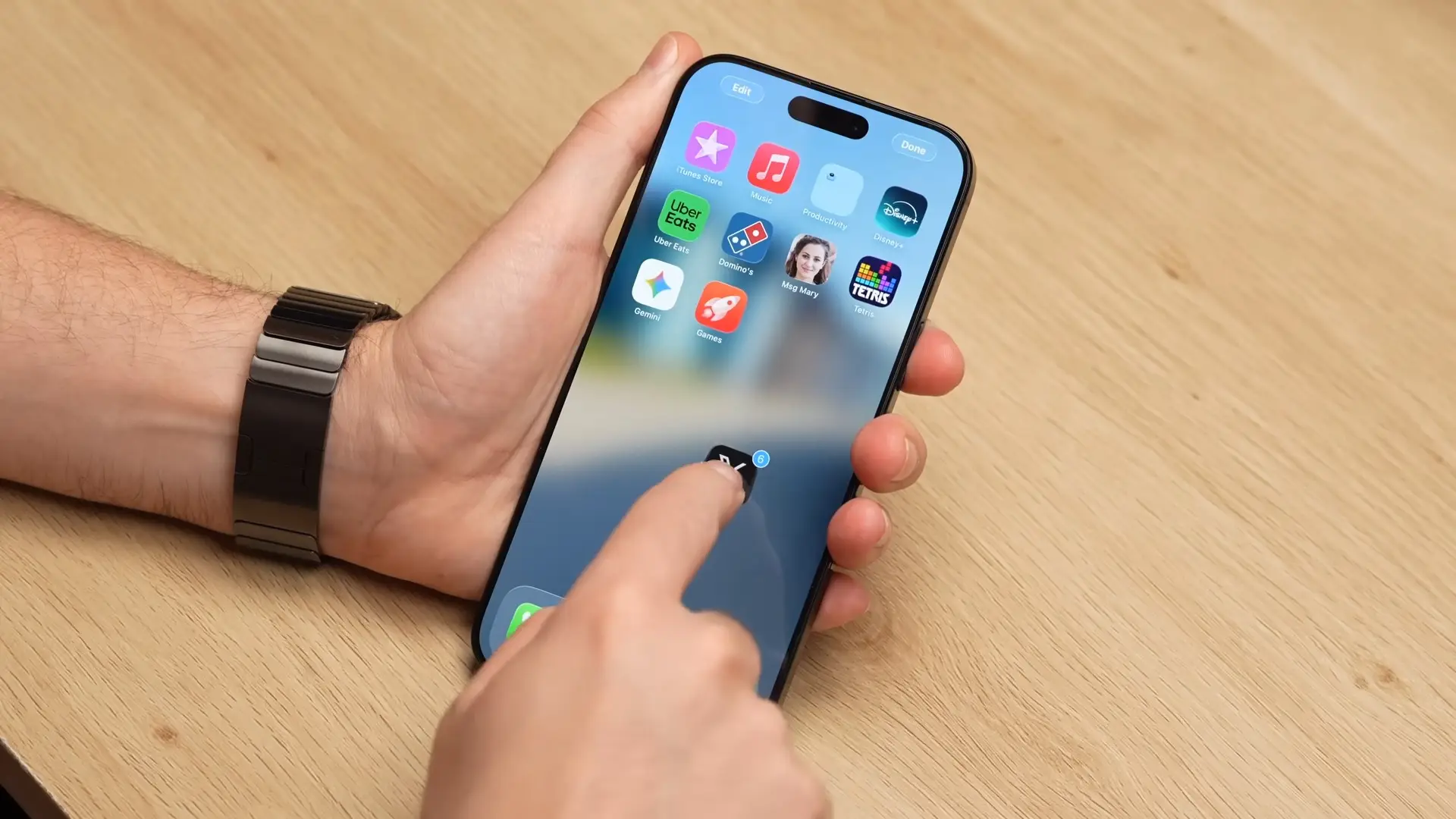
Thankfully there's an easier way to deal with this, as Proper Honest Tech highlights. You'll want to start by holding onto an app as you usually would, and then while you're doing that tap on any other apps you want to move at the same time.
This will move them all within a single block, making mass sorting a breeze comparatively, and you'd be surprised at quite how easy organization becomes once you master this trick.
Closing apps quickly
Most people are frequently switching between countless apps when using their iPhone these days, and while official advice can suggest that it's worse to close these all the time, it can get a bit overwhelming after a while.
You might not necessarily want to get rid of all of them at once, but swiping through each and every one can get a bit cumbersome and many people have looked for a quicker solution to the problem.
Thankfully there's a hidden trick you can employ to swipe away apps with haste, and all it takes is a swipe of three fingers instead of one when you're on the app switching screen.
This will close the most recent three apps you've had open, and when you're dealing with the double digits this can be a real time saver.
Remove suggested sharing
You'll often find yourself wanting to share photos or videos with your friends and family on your device, but the process of actually doing this can be more frustrating than you'd expect.
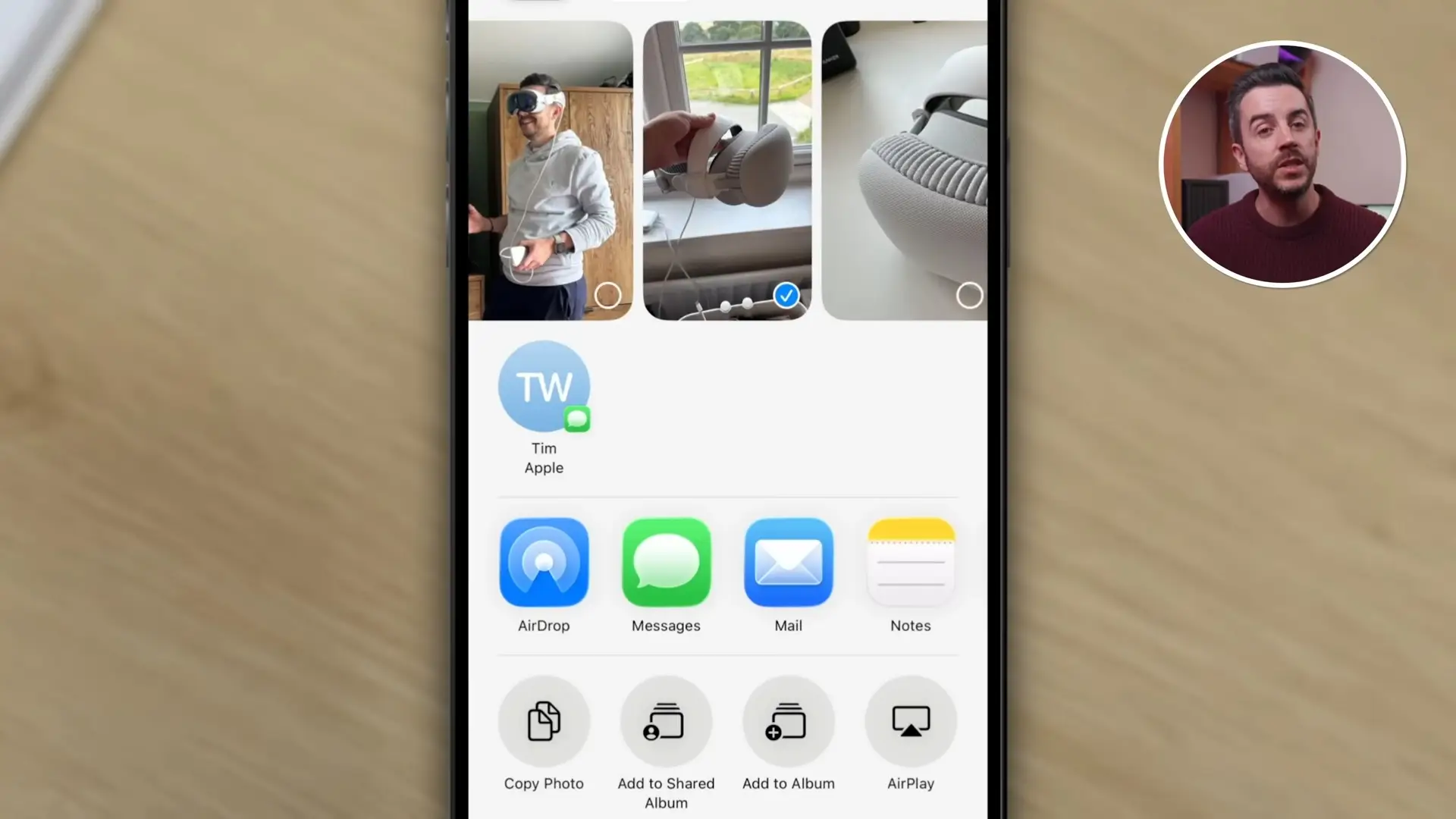
A big part of this is the Siri-powered suggestions that pop up at the top of the sharing screen, and while these can be handy sometimes, they are often distracting and get in the way of the options you actually want to take advantage of.
Turning these off completely can save you a headache, so to do this you'll want to head into Settings, find the Apple Intelligence & Siri section, and then scroll all the way down to the bottom to turn off Show When Sharing within the Suggestions section.