'Fantastic' motion sickness feature hiding in your iPhone is a total gamechanger


A game-changing motion sickness feature is hiding in your iPhone settings
Every iOS update brings a plethora of new features, and while some are quick to spread across social media like wildfire, others quietly sit in the settings menu waiting to be stumbled upon.
With Samsung currently rolling out a privacy tool designed to stop strangers from snooping at your screen, Apple has also been busy, with one of its lesser-known audio features making the rounds on Reddit.
Now, on the same forum, another user has shared the 'best hidden feature' they accidentally discovered on iPhone.
Advert
Explaining how it works, the user said: "Basically, it’s these dots that show up on your screen when you’re moving (in a car) and the dots move [in] the direction you’re going and stuff, so that you’re looking at something moving on your screen.
"Cause the reason many people get motion sickness while looking at their phones is cause their screen is stable and not moving, but their bodies are being moved around by the car."
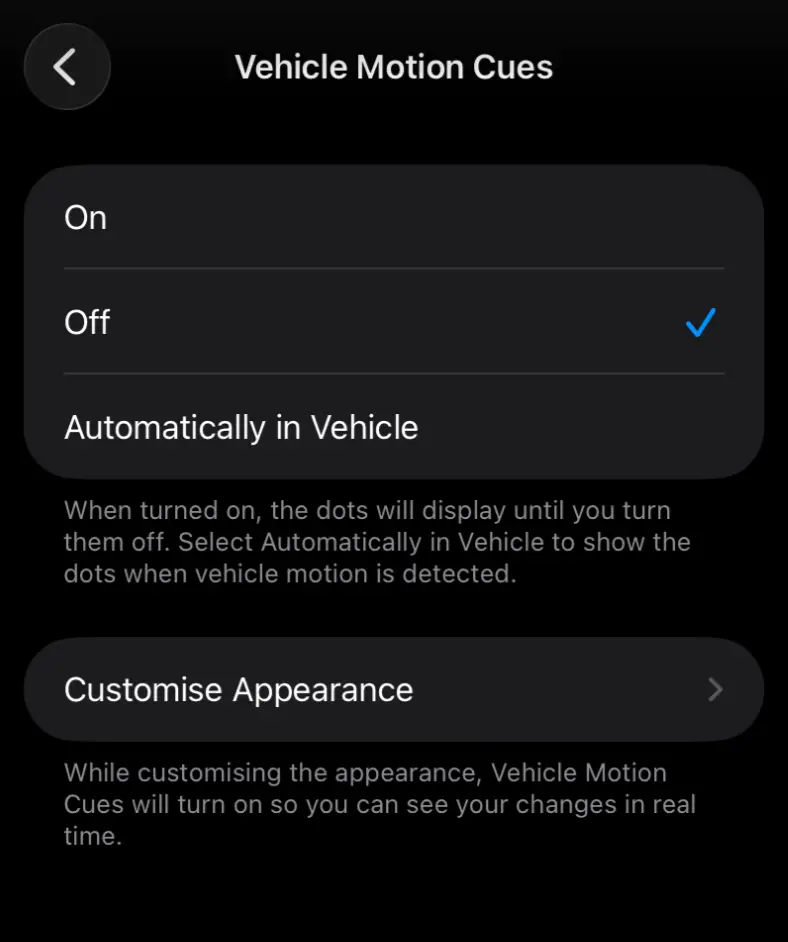
The feature, called Vehicle Motion Cues, adds a series of small animated black dots to the edges of your screen that mirror the movement of the vehicle you are travelling in.
By giving your eyes something that moves in sync with the car, the feature helps bridge that gap without interrupting whatever you are watching or reading.
If you're someone who is prone to motion sickness, you can easily activate the feature by going into the iPhone Settings > Accessibility > Motion.
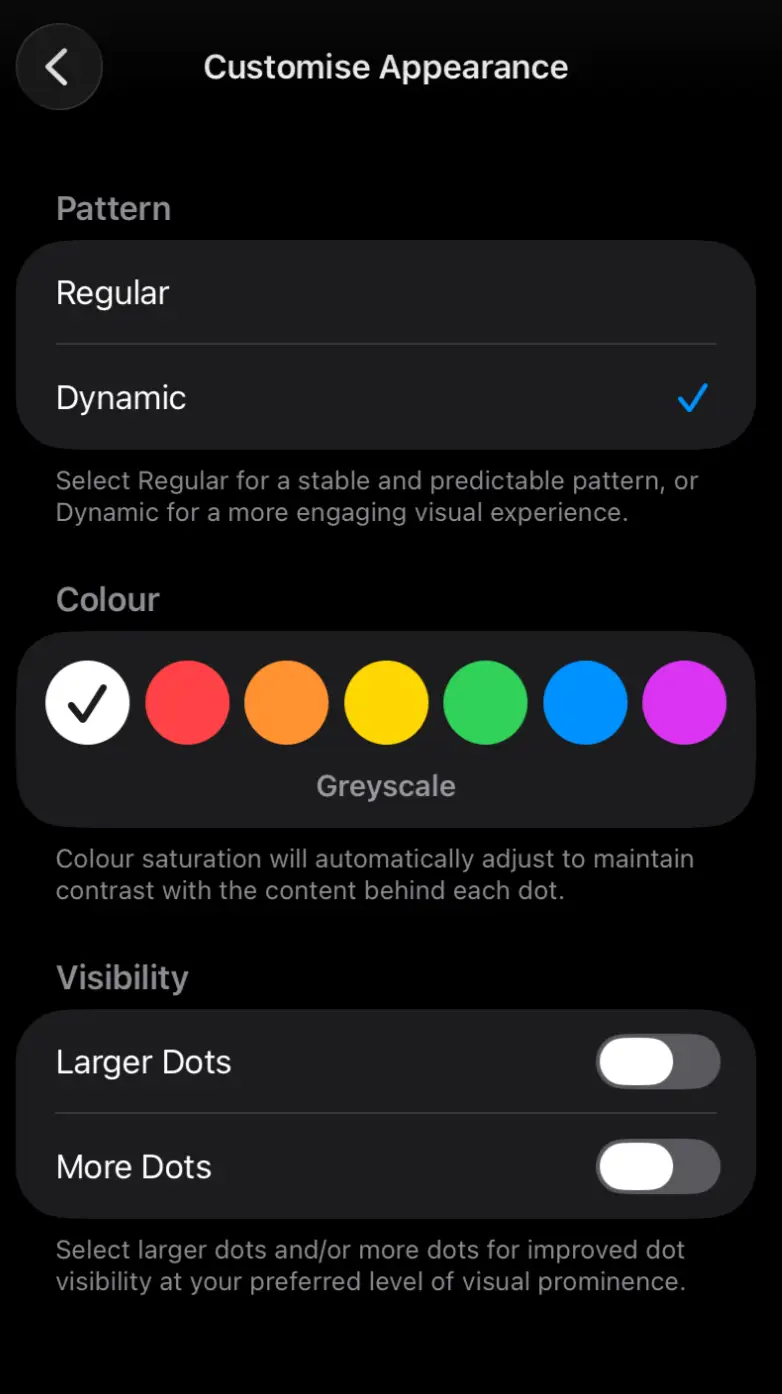
Here, you can click on Vehicle Motion Cues and select either automatic or manual. From there, you can set it to automatic, so it activates whenever motion is detected, or switch it on and off manually via the Control Centre.
The response from users who have tried it has been largely positive.
"i will give this a try. i get motion sickness really bad," the first user wrote.
Another noted that after more than a year of using the automatic setting, the dots had become second nature.
"No need to put it in control center. Just enable it and set to automatically trigger. I've been using it for more than a year and have become immune to the dots, barely notice them and never felt the need to turn it off during commute," they claimed.
A third user added: "This definitely works for me. When we drive to my parents’ house there are a bunch of roundabouts. If I would be looking at my phone when going through them, it would be rough. This feature definitely helps."
The feature might not be a cure-all for everyone but it's definitely worth a try!