iPhone user issues PSA on hidden feature that helps them sleep every single night


Most people don't know about the existence of Background Sounds on their iPhone, yet one user on Reddit issued a PSA claiming that it could be the trick that helps you sleep at night.
You might turn to somewhere like YouTube or even a third-party app in search of background noise to help you focus or even to lull you into sleep at night, yet tools providing this exact thing exist natively in your iPhone and can be activated with just a single press.
It's hard to stay on top of every feature and trick available inside on Apple's leading device, yet some of the best tools available in your iPhone can go under the radar — and Background Sounds is definitely one of them.
It could be the thing that changes your nighttime routine, so if you've got an iPhone on any iOS version beyond iOS 15 then you'd be doing yourself a disservice not to try it out.
What are Background Sounds?
Background Sounds are ambient tracks that you can activate natively within your iPhone, letting you listen to endless sounds replicating noises like rainfall, a train ride, a campfire, the ocean, and so much more.
Advert
You can set a timer that stops the sounds after a certain period of time – which is especially helpful if you use them when falling asleep – and it avoids having to pay money for something like YouTube Premium to avoid ads, or messing up your Spotify Wrapped when the end of the year rolls around.
Its effectiveness has been pointed out by one user on Reddit who shared a PSA on the r/iphone subreddit, declaring: "You can use your iPhone as a white noise machine without downloading a single app.
"I only found this recently and now I use it almost every night [...] Can't believe I spent years downloading white noise apps for something that was built into iOS the whole time."
How to use Background Sounds
Enabling Background Sounds is super easy, and you can even set it up from your Control Panel to turn the noises on and off with a single button press.
To set things up initially, you'll want to follow these steps:
- Head into your iPhone's Settings
- Find the Accessibility tab, and select Audio & Visual under the Hearing section
- Select Background Sounds, and press the toggle at the top to turn it on
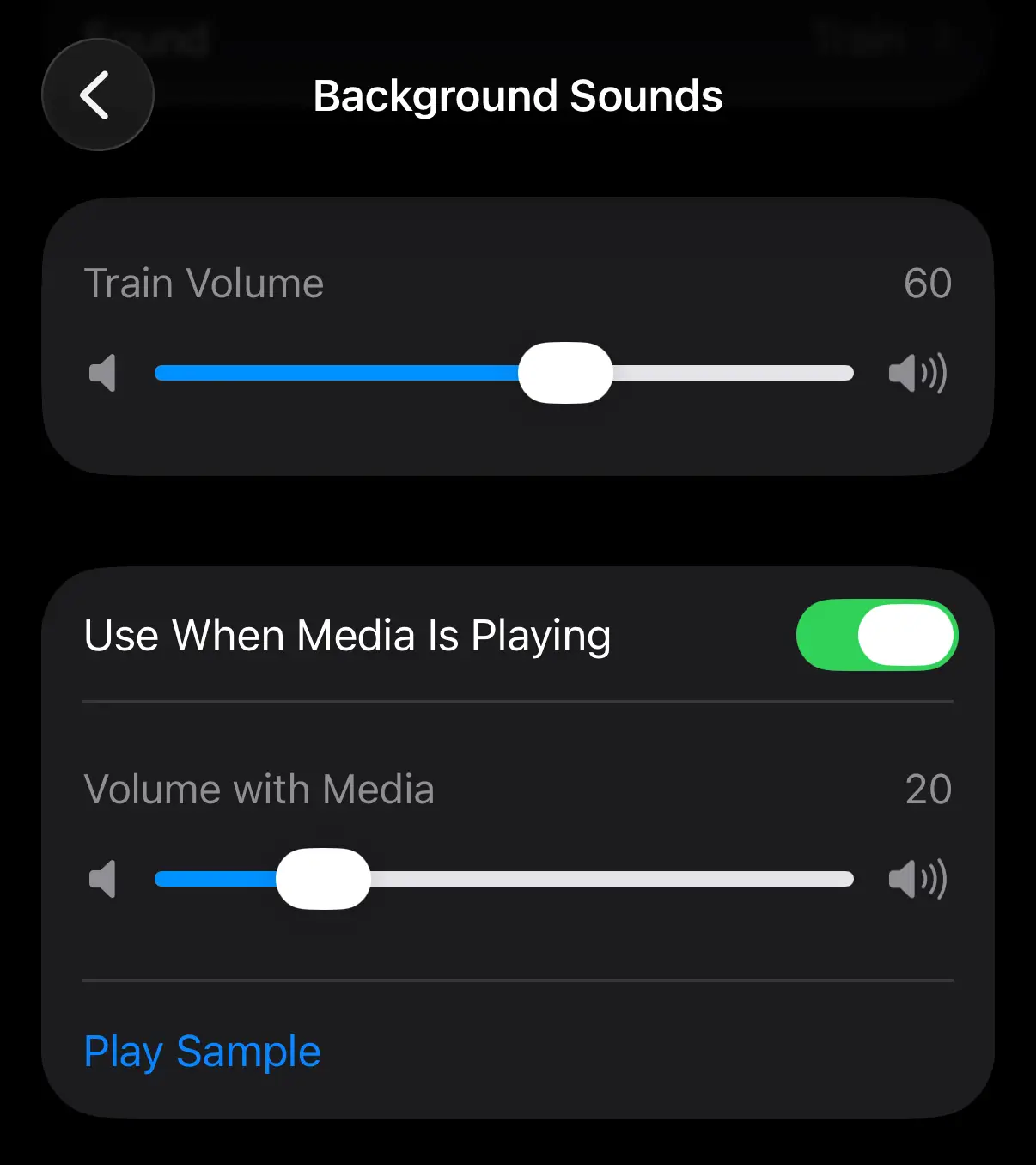
Clicking on the 'Sound' section lets you choose between all of the different sounds, and there's bound to be one that fits your mood and helps you relax the most. You can also enable toggles that keep the sounds playing throughout other media on your iPhone.
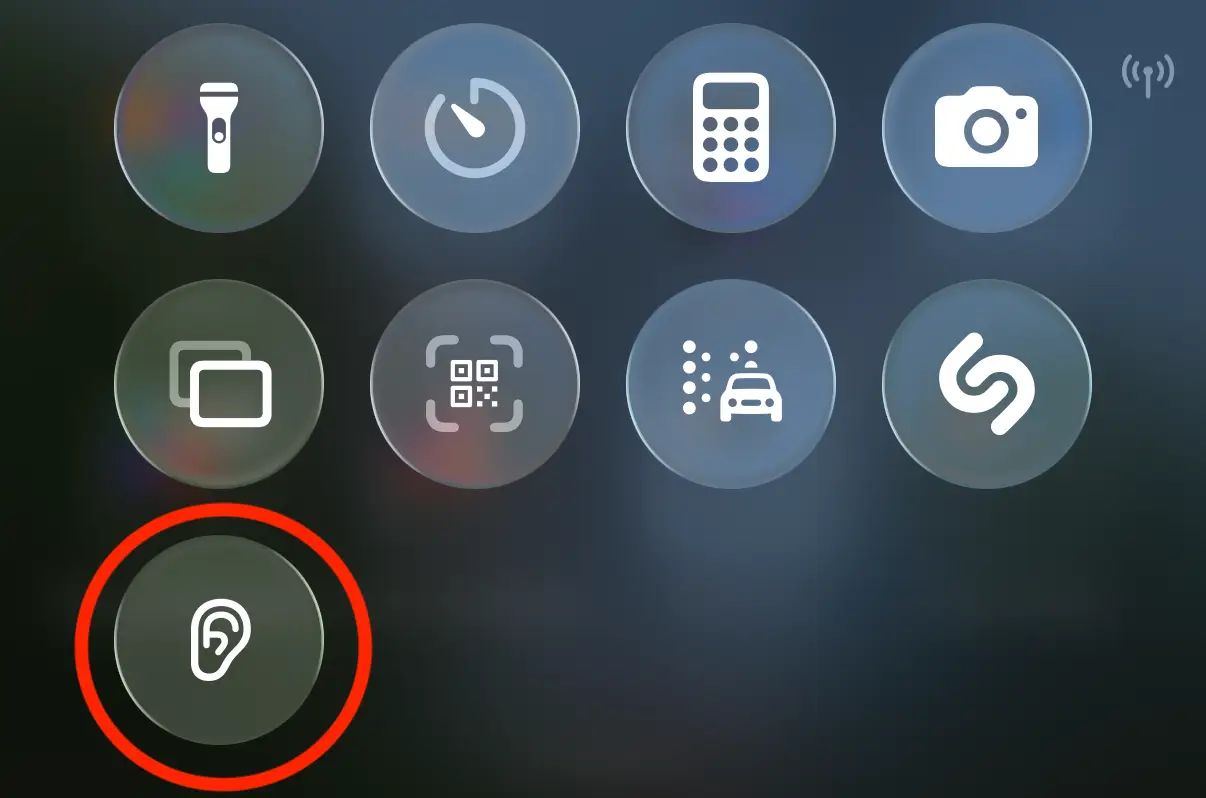
Once you've got that all set up, you'll want to make sure to also add it to your Control Center, which can be done in just a few steps:
- Swipe down from the top right of your iPhone to open the Control Center
- Long press on an empty area of the screen to start modifying the Control Center menu
- Select '+ Add a Control' at the bottom
- Find Background Sounds under the Hearing Accessibility section, or search for it through the menu at the top
Now that you've done this you'll be able to press the button in the Control Center to instantly start the sound you have set up for easy access.
It's something that's incredibly useful if you're trying to read or work in a noisy environment, as sometimes even the best noise cancelling headphones or AirPods aren't enough to block out everything that might distract you.