Ex-Apple employee reveals one setting every iPhone user should turn on to save significant battery


Turning off background app refresh could be the key to significantly improving your battery life according to an ex-Apple employee, as while there are some downsides to this method, it could be more than worth it for most iPhone users out there.
Balancing your battery life with all of the cool features on your phone is tough sometimes, but background app refresh is a feature you might want to consider sacrificing, as it's actually far less consequential than you might think.
The feature itself is enabled by default on all new iPhones, and most people don't even know it exists, let alone are aware of how much of a difference disabling it can make for your Apple device.
Thankfully former Apple Sales Specialist Tyler Morgan, otherwise known as @hitomidocameraroll on TikTok, has come in clutch with a handy tip you will want to try out on your very own device.
Why should you turn off background app refresh?
While you might have already tweaked with settings like Location Services or enabled something like Adaptive Battery, disabling the background app refresh setting has been proven to be one of the most impactful tricks you can employ.
Advert
Responding to another clip where a woman recommends disabling the feature, Morgan outlines: "She's absolutely right, you should 100% go into your settings right now, turn off background app refresh, because it will save you a lot of battery."
When enabled it effectively makes sure that all your apps are constantly 'awake' in the background even when you're not using them, which ensures that you're always shown the most up-to-date content as soon as you open it again — something that's especially handy for social media apps.
Taking that away means that you phone has to do a lot less at any given time, which is one of the biggest benefits for people who have noticed big battery drops despite not actually using their iPhone that much.
How to turn off background app refresh on your iPhone
Follow these steps to turn off background app refresh on your iPhone, and you can do the same if you want to turn it back on again at any point in the future:
- Head into the Settings menu on your iPhone
- Go to General, and scroll down to find Background App Refresh
- Select the Background App Refresh section at the top, and then change the setting to Off
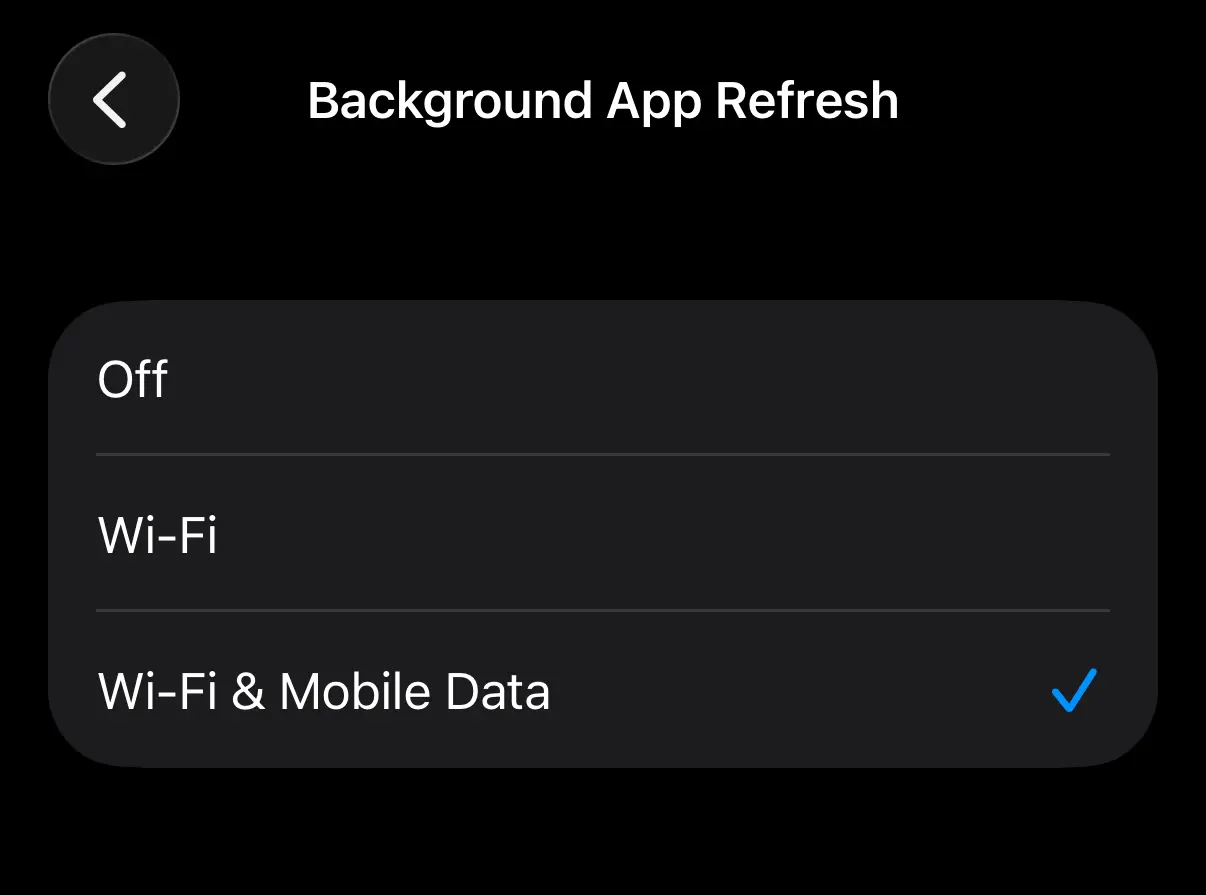
You can also tweak this more specifically to turn it on and off for specific apps if you want to provide certain exceptions – great for if you want a middle ground – but it's best to try it off completely to not only see the massive difference, but to also find out which apps you actually miss the feature on.
What are the downsides?
One of the only downsides of disabling background app refresh is that you're unlikely to receive notifications from social media apps in the same way as you did before — although some might see that as a blessing.
You'll also need to manually refresh apps when you start them up, but once again that could be the thing that convinces you to spend less time on your phone and on platforms like Instagram or X going forward.
It won't affect the notifications you receive for standard messaging apps like iMessage or WhatsApp, and you also will still get refreshed updates for Maps if you've set a specific journey.
Additionally, if you do find yourself getting frustrated by the setting with one or two apps in particular, you can always enable them individually as mentioned in order to find a balance between the extremes.