3 built-in iPhone emergency settings you should turn on right now


For the vast majority of us, our smartphone is far more than something we use to kill time scrolling TikTok or checking our messages.
It’s often joined to our hip, meaning it can become a pretty important lifeline if something goes wrong.
Whether you’re caught up in an accident, suddenly find yourself in danger or simply need help when you’re somewhere unfamiliar, your phone could end up being the fastest way for you to get help.
So, it’s even more important to be familiar with three built-in emergency settings for the iPhone that you could need.
Emergency SOS
Apple’s Emergency SOS feature dials local emergency services such as 911 for you as well as automatically sends text alerts with your live location to your emergency contacts.
Advert
It’s a very handy feature, particularly if you’re in a situation where you cannot use your phone like you’d normally do.

In order to enable it, all you need to do is press and hold down the side button and the volume button at the same time. A slider should appear on the screen, signalling for you to swipe to trigger the feature.
In the Settings app, you also have the option to add another system of starting up Emergency SOS, changing it to pressing the side button rapidly five times instead.
Medical ID
Another important feature in the event of an emergency is Medical ID. This displays critical health information including the likes of blood type, allergies, medical notes, and emergency contacts.
This can be set up on the Health app, by selecting Profile and then Medical ID, although you’ll also need to make sure the ‘Show When Locked’ option is switched on.
In the event of an emergency, the Medical ID will appear on your screen so that it is visible to first responders, who can read vital information before treating you.
Emergency SOS via Satellite and Crash Detection
The third important feature to be aware of is the Emergency SOS via Satellite and Crash Detection.
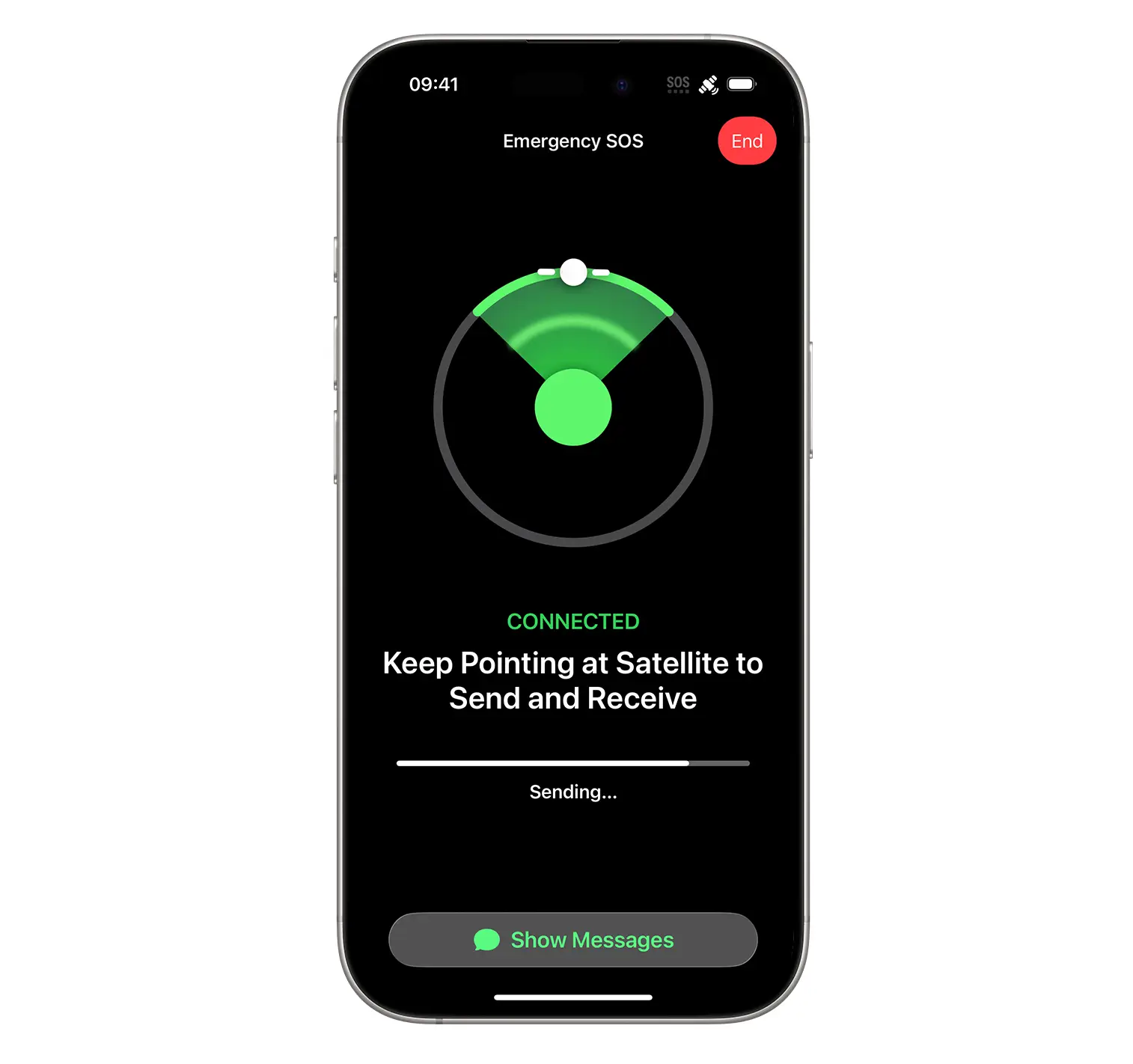
This connects directly to satellites in order to text emergency services and share your location when you are off grid and have no cellular or WiFi coverage.
This feature also uses internal motion sensors in order to automatically call for help if it detects a severe vehicle collision.
To set it up, head to the Settings app and click on Emergency SOS. From there, make sure that you toggle on the ‘Call After Severe Crash’ option. However, this is only compatible with the iPhone 14 or later.