5 iPhone camera features everyone should know about that'll seriously upgrade your photos


Apple is set to unveil its latest lineup of iPhones in the coming weeks, with the tech giant’s ‘surprise and shine’ event scheduled for September 9.
Many fans are anticipating for the company to officially announce its new iPhone 18 during the keynote address along with the rumored iPhone Ultra, which is reported to be Apple’s first foldable device.
There are many new features set to become available as part of the upgrade, although this could come with a steep price hike as some users have speculated whether the upcoming iPhone 18 Pro Max could shatter the $1,999 price barrier.
So, if you’re reluctant to cough up the cash for a new device, what can you do with your current smartphone to improve the quality of the user experience?
Advert
Well, according to BGR, there are plenty of tricks you can utilize to get the most out of your iPhone camera, without having to trade it in for a newer model.
Camera formats for the iPhone
First up is the use of Photographic Styles, which is a feature that ‘intelligently adjusts specific colors in different parts of your photos to create a customized look’.
According to Apple, the style you select ‘applies automatically to all photos you take, but you can make adjustments in Camera or edits later in the Photos app’.
Another handy feature is the file format settings which can allow you to change photo and video file formats on your iPhone to standard JPEG and H.264.
To achieve this, simply head to your Settings app followed by Camera and select Formats. From there, you can choose between two options, High Efficiency (HEIF/HEVC) and Most Compatible (JPEG/H.264).
Meanwhile, you might not be aware of the Macro Control toggle, which can be enabled in your Camera Settings.
When the feature is enabled, a small flower icon will appear on your camera screen if you move close to an object.
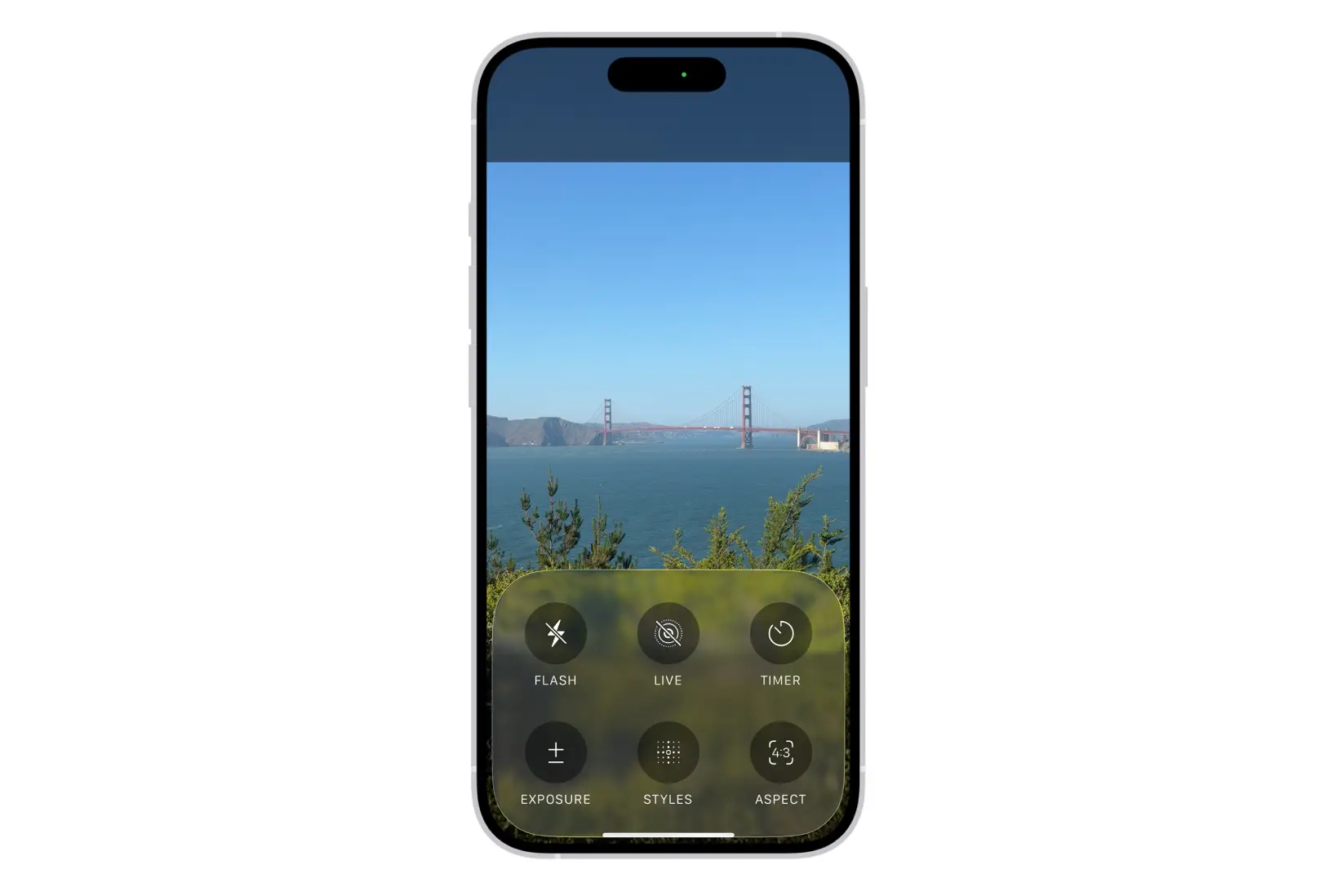
If you want to override the feature for that image, simply top on the yellow flower.
A fourth feature to keep an eye on is the AE/AF lock, which freezes your camera’s focus and brightness settings so they do not change automatically.
Change how your iPhone images are processed
Last but not least is the iPhone’s Prioritize Faster Shooting feature, which modifies how images are processed.
This allows you to capture more photos when you rapidly tap the Shutter button. Prioritize Faster Shooting is on by default so to turn it off, go to Settings followed by Camera and then select the option to switch off Prioritize Faster Shooting.