
WhatsApp finally launches game-changing feature users have been begging for


WhatsApp has finally launched a game-changing feature that users have been begging for for years.
The latest update from the messaging app will mean that users can now get a different experience when organizing a group chat.
This is because the new feature will change what users see when they first join a group.
We’ve all been there when there is a group being created for an upcoming trip or bachelor party - you join late and are left in the dark because you can only see messages posted after you’ve joined.
Advert
Up until now, there’s no way for people to catch up on what they’ve missed but the new feature will enable other members of the group to allow new users to view older messages.
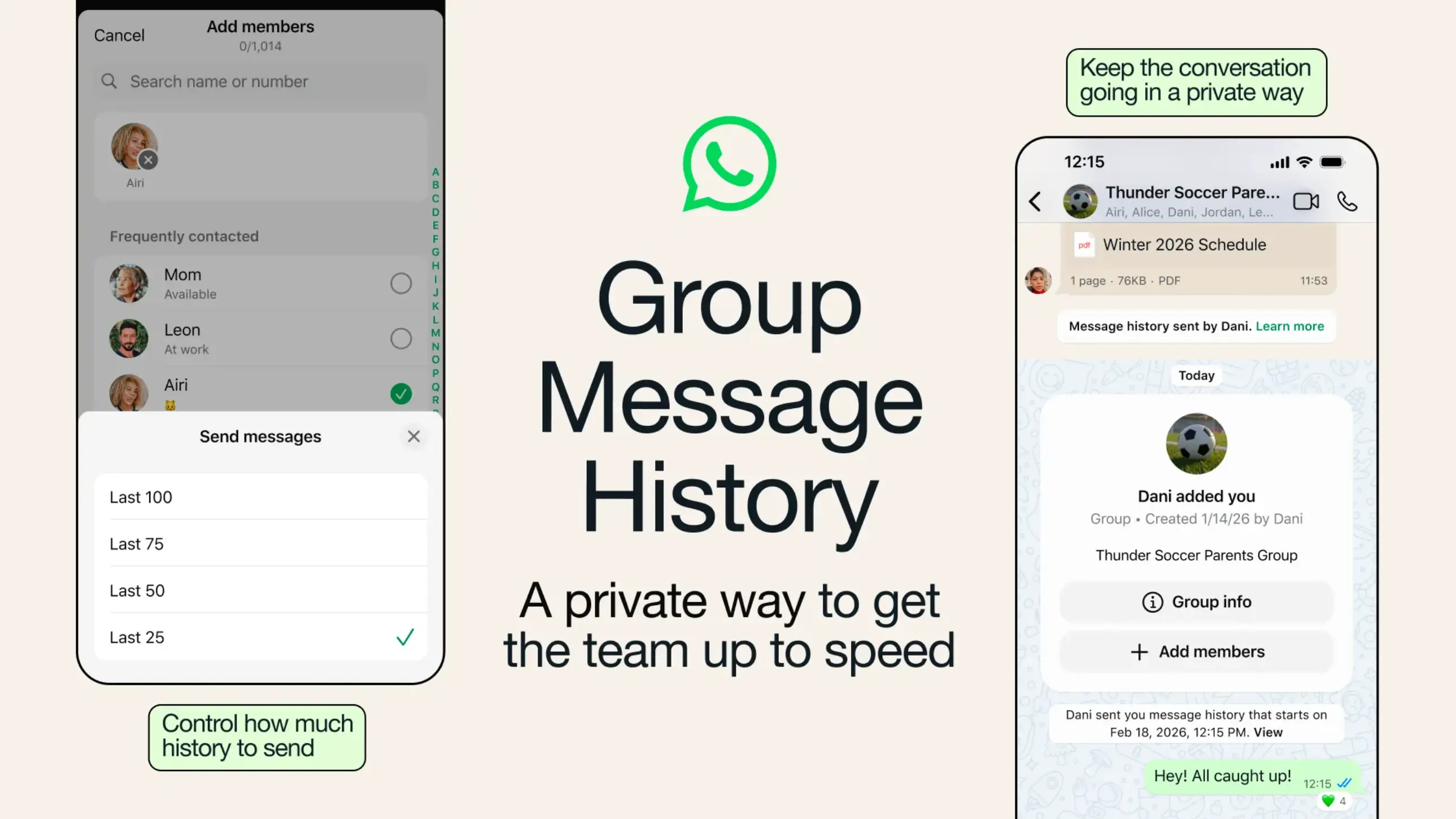
So, how does it work? Well, the way it always has been will remain as the default, meaning that if you’re stuck not being able to see old messages, someone else in the group will need to change the settings to allow new users to view it.
In the settings, group members will also be given the option to show between 25 to 100 of the newest messages.
In an announcement posted to the WhatsApp website, the app explained: “We’re excited to introduce Group Message History, a feature that makes group chats even more welcoming without interruption. Now, group admins and members can choose to send recent messages to new members, so they can catch up quickly.
“One of our most requested features, it’s another example of how WhatsApp is leading the way in group messaging, no matter your device. Group Message History remains end-to-end encrypted like all other personal messages, giving you a quicker, more private way to keep conversations flowing, with no more screenshots, and no more unnecessary message forwarding.”

Detailing just how to use the new feature, WhatsApp continued: “When you add someone new to a group chat, you’ll see an option to send recent messages to them - from 25 up to 100 maximum. This keeps things simple, ensuring new members only need to read the most relevant, recent context, and the whole group can easily see the messages that have been shared.
“Sending message history is an action you have to take and admins have the option to disable the setting for their groups. Admins will always be able to share message history.
“For transparency, when message history is sent, everyone in the group is notified, with clear timestamps and sender information, and message history is visually distinct from regular messages.”
The new feature will be rolled out to users 'gradually’.