Tech expert warns of three settings smartphone users should turn off immediately


One tech expert has warned all smartphone users that they may be opening themselves up to security breaches, so make sure that you've disabled these three key settings if you want to avoid any issues.
Cybersecurity is something you should always take seriously, as while the latest phones from manufacturers like Apple and Samsung are stronger than ever before when it comes to dealing with security threats, there are still vulnerabilities that occur from time to time.
These can sometimes be solved by urgent updates that you should definitely also download and install as soon as you possibly can, but sometimes the best thing you can do is stay aware of certain settings on your device, as they could end up leaving the door unlocked for hackers.
The United States' National Security Agency (NSA) has revealed three settings and features in every phone that you should at the very least be careful of, and you might even want to consider avoiding them full stop.
Advert

First up is using public Wi-Fi, as while that's incredibly convenient when you're out and about, it's one of the most dangerous things you can do on your phone, laptop, or any other internet-connected device.
"Data sent over public Wi-Fi – especially open public Wi-Fi that does not require a password to access – is vulnerable to theft or manipulation," the NSA explains, adding that "even if a public Wi-Fi network requires a password, it might not encrypt traffic going over it."
You should never access any sensitive data, especially things like banking apps, when using public Wi-Fi, as there's always a risk that you're giving access to someone else by doing this.
Additionally, public Wi-Fi can also be easily spoofed by scammers, who share their hotspot by making it look like a cafe's own network, prompting you to directly connect to them.
Another feature that you might want to be careful around is your phone's Bluetooth connection, as this can be used by scammers to receive information about your device that would be best kept a secret.
"Keeping your device's Bluetooth feature enabled in a public setting can pose a cybersecurity risk," the NSA asserts. "Malicious actors can scan for active Bluetooth signals, potentially giving them access to information about the targeted advice."
While the safest thing you can do is to simply disable Bluetooth on your phone whenever you leave the house, the prevalence of Bluetooth-connected gadgets like headphones or wearables makes this more challenging and inconvenient than you might expect.
However, the best thing you can do is to try and turn it off whenever you're not using it – especially as it could preserve your phone's battery life – or switch over to trusty wired devices that don't require an active connection.
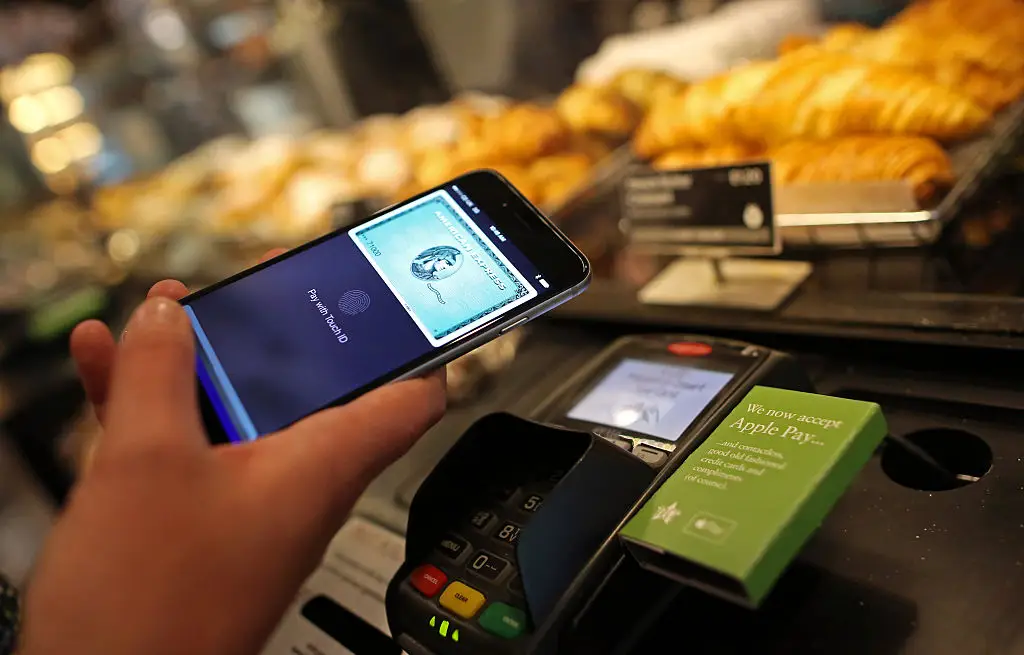
Last up is your phone's Near Field Communication (NFC) capabilities, as while this is definitely the hardest out of the three for cybercriminals to exploit, that doesn't stop it from still being a risk.
According to the NSA, "due to NFC range limitations, opportunities to exploit vulnerabilities may be limited. However, NSA advises being aware of security risks with the technology and if possible, disable the function when it is not in use."
This might be the easiest to avoid if you don't use features like Apple Pay or Google Pay, as there are only few other common tasks that take advantage of NFC on a regular basis.
If you prefer to pay with a physical card or cash then it might be worth disabling this and only turning it back on when you encounter a scenario that requires it, as this'll keep your device safe.