Why iPhone users should turn off connectivity assist in iOS 27 unless 'absolutely' necessary


With many people having now updated their iPhones to run iOS 27, after the operating system update launched last month, some have noticed a little-known feature which should be turned off.
The release of iOS 27 has brought a whole host of new features for Apple fans including the likes of Siri AI, which the tech giant describes as being able to ‘help users find what they need in the moment, from answering questions from the web on virtually any topic, to surfacing relevant information from a user’s personal messages, emails, photos, and more’.
Apple continues: “Siri AI also includes a dedicated app for users to revisit conversations across their products, an expanded Visual Intelligence experience, and integrated tools for writing.”
However, there is one feature that some users believe should be turned off unless ‘absolutely’ necessary, with iPhone users taking to social media to share their own thoughts on the option of connectivity assist.
Advert
What does connectivity assist do on the iPhone?
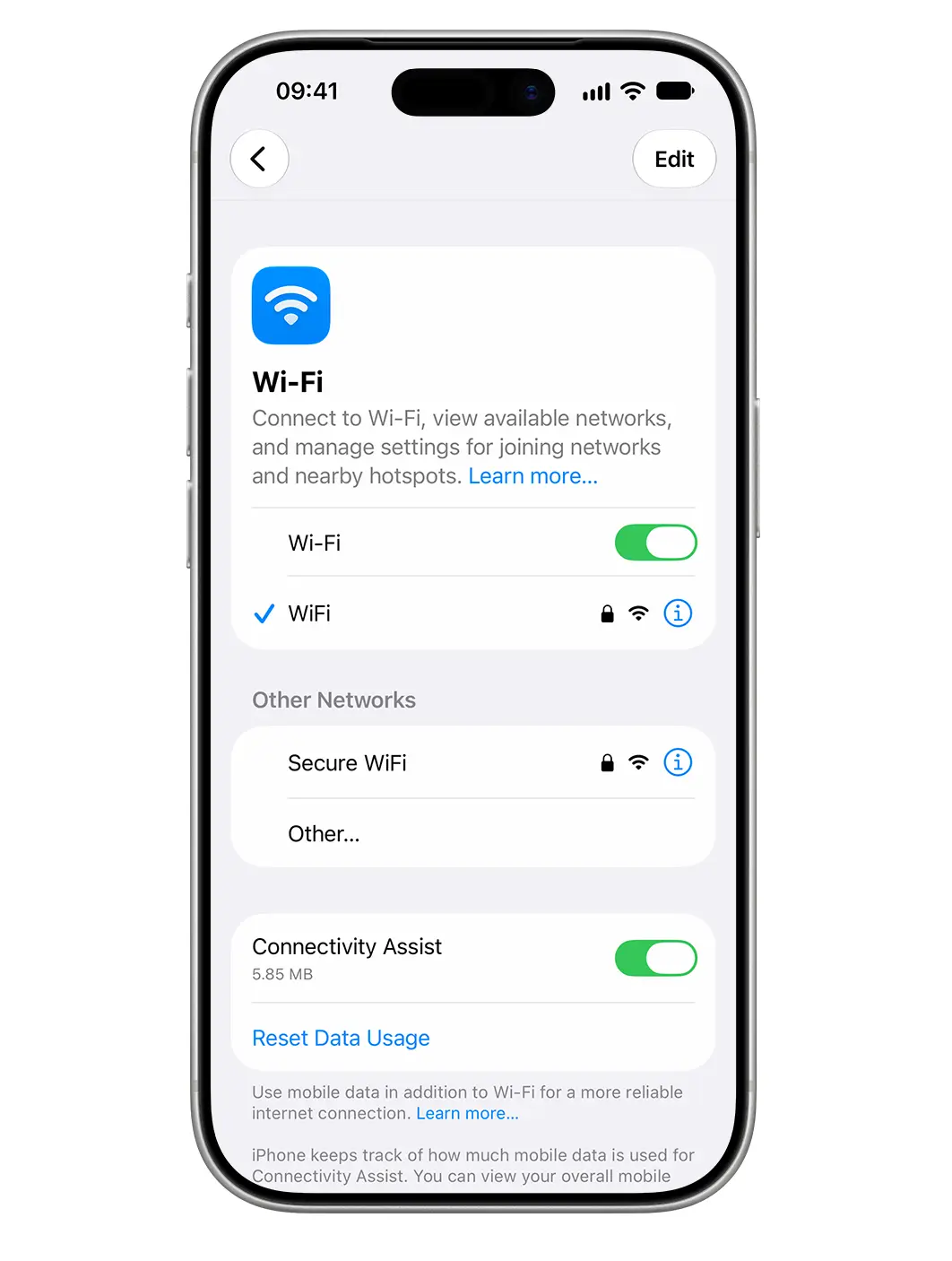
Connectivity assist can be found within the Settings app, under WiFi, and is used to provide users with a more reliable internet connection.
This can particularly come in handy when you’re in locations where the WiFi is slow or unusable such as in your garden or driveway or in public places like coffee shops and airports.
However, some say that should be turned off until you need it, as one person wrote on Reddit: “15 Pro Max. 89% battery health. I was getting only 3-4 hours SOT after IOS 27 update. Turned off connectivity assist and I get 7 now.
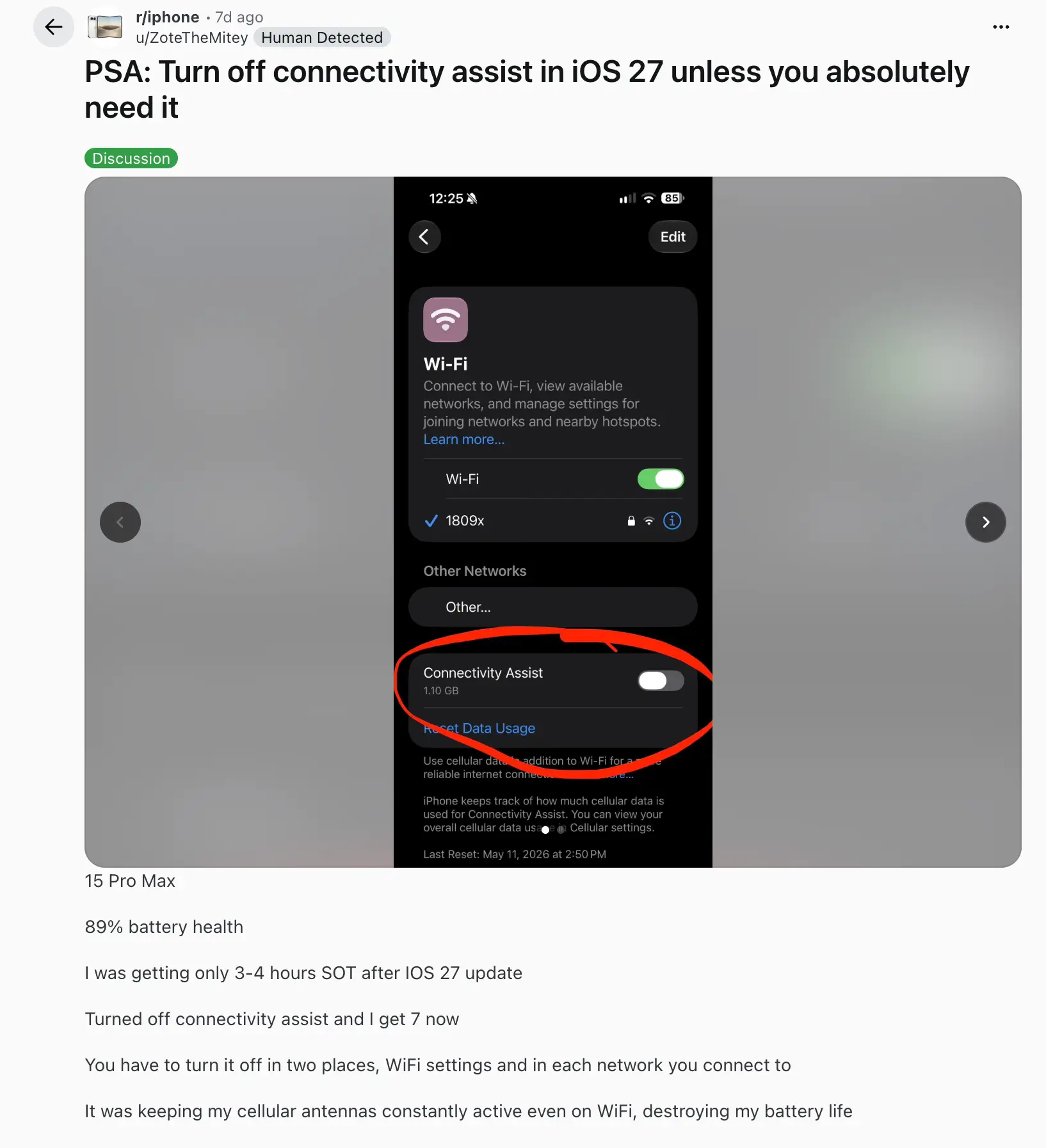
You have to turn it off in two places, WiFi settings and in each network you connect to. It was keeping my cellular antennas constantly active even on WiFi, destroying my battery life.”
This prompted others to reply, with one user saying: “My battery life has tanked since installing iOS27, iPhone 16 Pro. 89% battery health. Phone has been warm and I’ve been getting the same 3-4 hours. I’ll do this from the WiFi settings and for my home and work WiFi, to start, and see where it lands.”
And another added: “My battery life has been atrocious and I was so annoyed. Hopefully this fixes it.”
Battery issues after updating to iOS 27
Having battery draining issues after updating your operating system can be a common occurrence but is often temporary.
This is usually due to the device working on updates in the background while you use your phone, leading to the battery draining faster than usual.
However, this is usually a temporary issue that sorts itself out after a few days.