iPhone 17 users are only just discovering what mysterious holes at bottom of device actually do


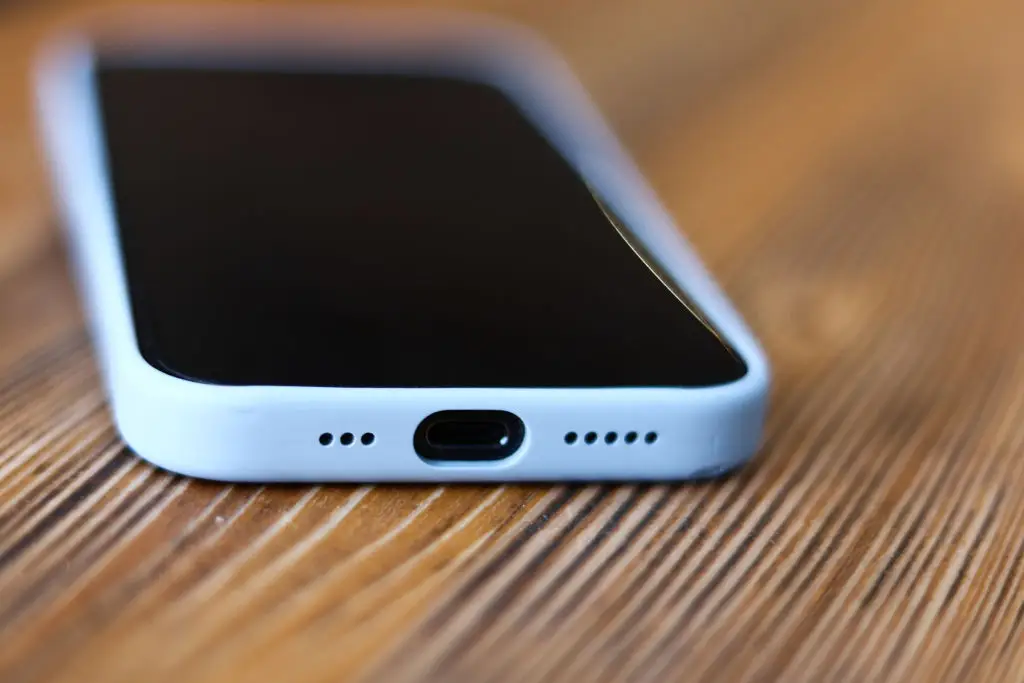
You can't expect people to understand every single part of their phone, yet plenty of iPhone owners have only just discovered the true purpose behind the holes at the bottom of the device, and it's got nothing to do with the speaker or microphone.
iPhones only play music or sound out of the left-hand speaker holes at the bottom of the phone, and that's because the ones on the right are barometric pressure vents, which serve a vital purpose in the device.
It's something that likely goes unnoticed by the vast majority of iPhone owners, yet Apple's implementation of the vents allows the gadget's barometric functions – which include the reading of air pressure – to work.
These vents are also designed specifically to only let air in and out, with dust, dirt, and water all blocked if you don't somehow manage to puncture the holes and create an opening.
What do barometric pressure vents do?
Shared by u/PowerWorldEmiggen on the r/iPhone subreddit in response to a post questioning the purpose of these holes at the bottom of the device, the ability for your phone to read air pressure allows services like weather and elevation to function when you're out and about.
Advert
This helps you better track your activity on the go, as you've probably wondered at some point in the past how your phone is somehow capable of understanding the exactly level of elevation you achieve on a walk or run.
In terms of weather, it can detect whether the air has high or low pressure, with the former indicating clear skies and the latter suggesting a storm. Being able to analyse when pressure is quickly changing can be the key warning you need to find shelter or to head out while it's dry.
Other comments have also pointed out that, from a design perspective, the holes are mirrored in order to look neat on the phone itself — so it serves an aesthetic purpose as well as a vital 'hidden' one.
What other hidden tools does the iPhone have?
One of the best 'hidden' tools that iPhone users should definitely be aware of is the colored dots that appear at the top of the screen, as these can provide vital privacy alerts warning you about anything potentially malicious.
There are three of these built-in privacy indicators, with green, orange, and blue dots notifying you when your camera, microphone, or location services are being used by an app, respectively.
It makes sense for these to appear when you're on a call or using the Maps app, for example, but there might be a case when you've accidentally allowed your camera to be used by an app that doesn't appear to use it, potentially leaving you in a privacy nightmare.
If you're not sure which apps are currently using each corresponding dot, you can pull down the Control Center menu from the top right of the screen and it will let you know the source.