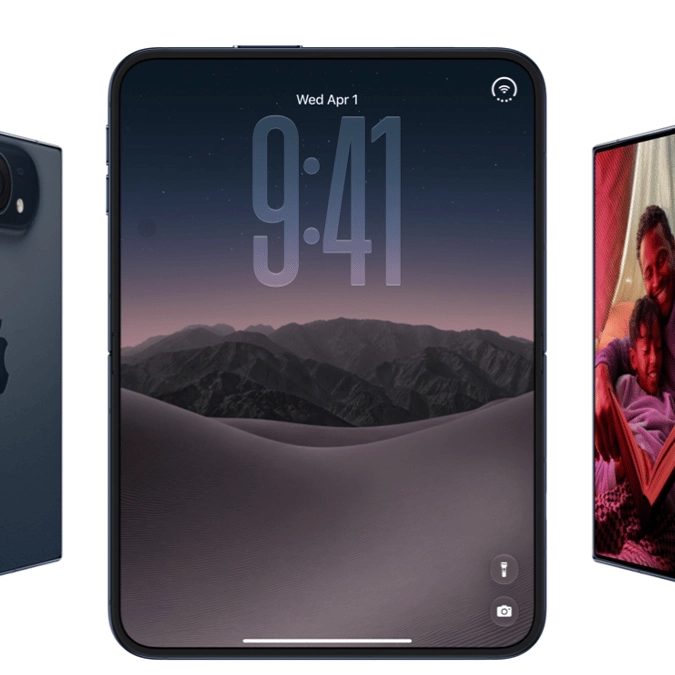
The iPhone Duo finally brings Apple Pencil support to iPhone, with one big limitation


Apple's latest innovation in the iPhone world has drawn plenty of attention with the new foldable iPhone Duo hot on the lips of every fan, yet while many are overjoyed that Apple Pencil support has finally been added, it does unfortunately leave out one major device.
As reported by MacRumors, while the regular USB-C Apple Pencil will work just fine when you're doodling on your new iPhone Duo, the foldable phone unfortunately won't support the use of the more-expensive Apple Pencil Pro.
You would be forgiven for expecting Apple to make sure that its premium variant of the Apple Pencil would work on the most expensive iPhone ever released, yet you might need to pick up a new version if you're planning on taking advantage of the support.
This is also a disappointing move due to the lack of certain key features in the regular Apple Pencil, leading many to be unhappy with the compromise from Apple to revoke support.
Why doesn't the Apple Pencil Pro work on the iPhone Duo?
The only reason why the Apple Pencil Pro doesn't work on the new iPhone Duo is because it requires magnetic charging support. While this feature is present in iPads, it has been omitted from the design of the Duo, likely due to hardware and design restraints.
Advert

While it might be something that could be added with later revisions, it's not something that will change during the lifespan of the current device, with the only option being right now to buy the base Apple Pencil instead.
If the iPhone Duo proves to be a popular choice – which early excitement and hype suggests it will be, despite the eye-watering price – then there's also the possibility that Apple releases a new Apple Pencil Pro specifically designed to work with the phone. Even if that is the case though, you'll likely be waiting at least another six months in the best case scenario.
How does the iPhone Duo work with an Apple Pencil?
Reports have revealed that the Apple Pencil can be used on both internal fold-out screens and the external folded screen, making it a gadget that you could employ for pretty much any task on the device.

While many users might want to use the pencil for drawing or enhanced precision, it can simply be used as a replacement for your finger, and could be the ideal solution when the device is fully unfolded due to the sheer size of the screen.
What you'll have to contend with, however, is the limited feature set of the base Apple Pencil, as it doesn't have support for pressure sensitivity, double-tap, barrel roll, haptic feedback, squeeze, or Find My, making it a disappointing alternative for many Apple fans.