8 'little-known' apps made by Apple that don't come pre-installed on your iPhone


You probably know your iPhone comes packed with Apple classics like Safari, Notes, and Weather, but there’s a whole collection of apps Apple makes that don’t show up straight out the box.
Depending on what you use your iPhone for, some of these could be absolute game-changers.
Here are eight of the best low-key Apple apps you didn’t know you needed.
1. Apple Invites – An Alternative Way to Send Out Invites
If you're planning a party anytime soon, you should definitely give Apple Invites a try. It lets you design sleek digital invitations and share them instantly via iPhone. Everything syncs with iCloud, Contacts, and Calendar.
Advert
The best part it that it even checks the weather and pulls directions from Maps. Whilst you do need iCloud+ to create invites, but recipients don’t need an Apple ID to RSVP.
Download Apple Invites here.
2. Final Cut Camera – For iPhone Videographers
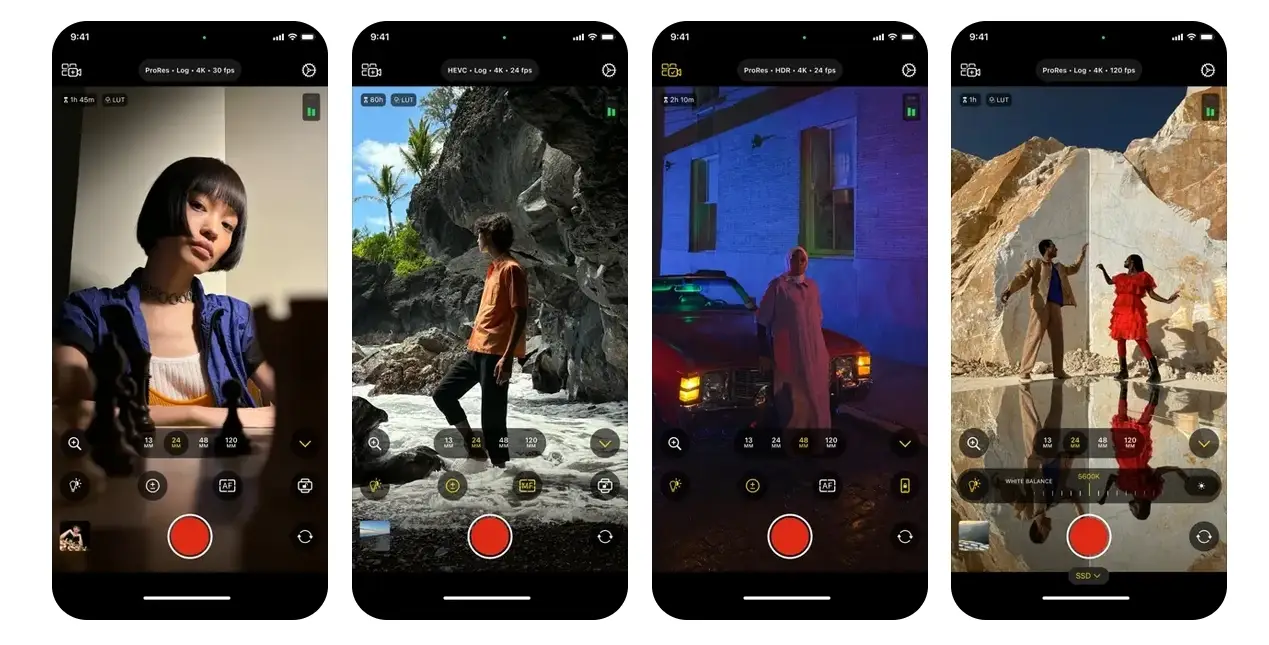
If you think your iPhone’s camera is maxed out, think again. Final Cut Camera unlocks pro-level controls like ISO, shutter speed, white balance, and colour space — features that the default Camera app doesn’t touch on.
It’s especially slick if you use Final Cut Pro on iPad. You can wirelessly send footage straight into your editing timeline. One other standout feature is Live Multicam, which lets you connect up to four cameras to your iPad and record multi-cam video simultaneously. It may sound overly technical, but it’s smoother than you'd expect.
Download Final Cut Camera here.
3. Numbers – Apple's Take on Excel
Spreadsheets might not have a massive "wow" factor when it comes to work and life admin, but Numbers makes them bearable. You can create charts, add formulas, and use templates to build anything from a budget to a data project. What's more, Numbers is compatible with Excel files as well, so you can carry on with a project right from where you left off.
Download Numbers here.
4. iMovie – Handy Video Editing
For those who need to stitch together clips, trim footage, or add music on the fly, iMovie gives you tools that feel way more high-end than you'd expect from a free app.
There are built-in templates, transitions, speed controls, and audio options — basically everything you need to create cinematic edits without touching a laptop.
Download iMovie here.
5. GarageBand – A Music Studio in Your Pocket
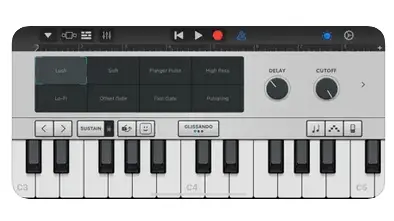
Whether you're messing around or making your next EP, GarageBand transforms your iPhone into a full-on recording studio. With instruments like keyboards, drums, and guitars — plus sound packs, loops, and samples — you’re all set.
With its easy-to-follow interactive, it's great for both beginners and seasoned and seasoned musicians will love how playable everything feels on mobile.
Download GarageBand here.
6. Keynote – Slick Presentations Without PowerPoint
Keynote is Apple’s answer to PowerPoint, and it can be even cleaner, easier, and more fun to use for certain projects. You can drag in text, media, charts, and even throw in animations.
You can also present directly from your iPhone or co-edit with mates in real-time. It’s surprisingly powerful for a mobile app — and completely free.
Download Keynote here.
7. Clips – For TikTok & Reels Creators
Clips is tailor-made for short-form video content. It lets you film, edit, and spice up clips with effects, filters, and stickers — ideal for your next viral post.
One feature that stands out is Live Titles, which generates subtitles as you speak automatically. Plus, you can drop in memojis that mimic your face and expression in real time. Fun and freaky.
Download Clips here.
8. Pages – Word Processing That Doesn’t Feel Like a Chore
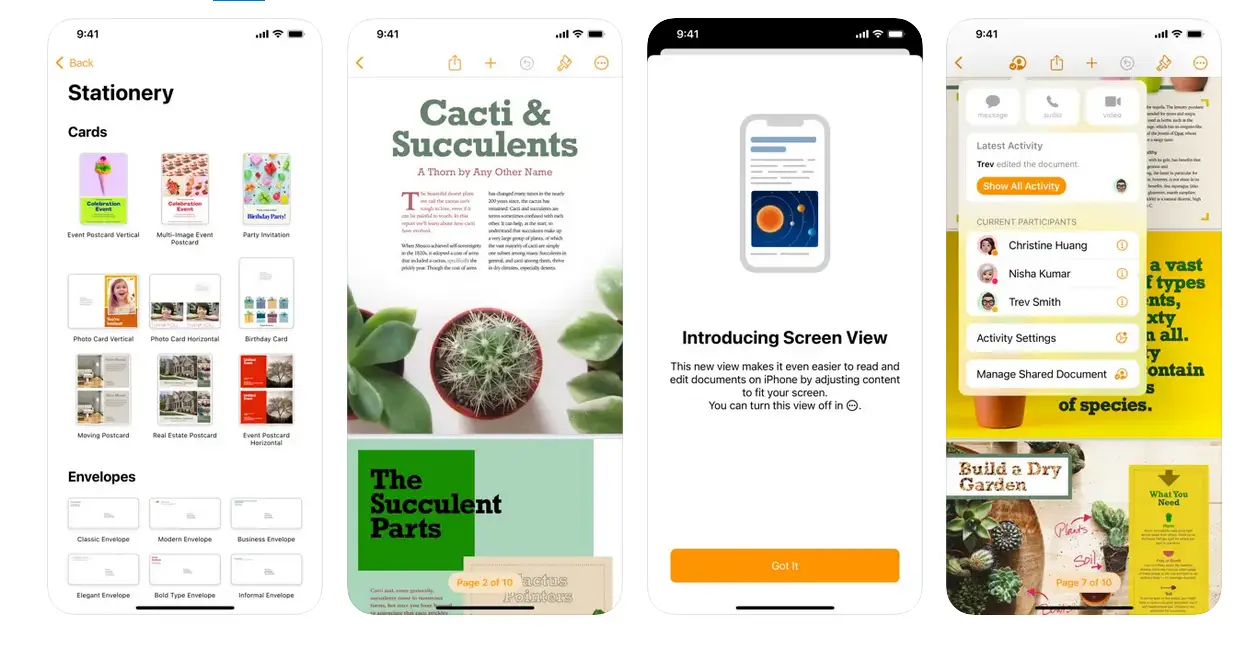
Pages lets you build polished documents, resumes, and flyers without the mess of desktop word processors. The design is also clean, everything is intuitive, and it supports Word files seamlessly.
As a bonus, you can even export to PDF or even turn your doc into an image.
Download Pages here.
These apps might not come pre-installed, but they’re all made by Apple — and most are free. Whether you’re editing videos, making music, or just trying to stay organised, these hidden gems will seriously upgrade your iPhone set-up.