Browser's game-changing update lets viewers watch YouTube completely ad-free


Alternative browser DuckDuckGo has offered a potentially game-changing feature to its users, boasting the ability to block almost every video advert you'll encounter on the internet, including full ad-free watching on YouTube.
Ads are as much a part of the internet as web pages themselves, yet YouTube's ever-growing promotional breaks have become the bane for many users of the site — causing people to turn to ad blockers or pay for YouTube Premium as a relief.
With DuckDuckGo, however, you don't need to worry about the technicalities of either method any longer as a new update to the free browser blocks all video ads natively without you needing to do a single thing, as per The Verge.
This is particularly useful for mobile users, as it lets you watch ad-free content on your phone without having to pay a subscription cost — saving you your time and sanity as you now no longer have to sit through those often minute-long breaks before, during, and after each video.
DuckDuckGo introduces ad-free viewing for YouTube
Ad blockers certainly aren't a new thing and have been around for over a decade now on many of the most popular browsers, but Google in particular has made it increasingly difficult for people to use them in the past few years.
Advert
That's why the introduction of a browser-native tool within DuckDuckGo is such a big deal, as it lets people free themselves of ad viewing by simply downloading the app and using it, as you never need to worry about an extension being out of date or even posing a potential cybersecurity risk.
"This new feature blocks ads that run before and during your videos, letting you watch YouTube without the interruptions," a new blog post from the browser explains, noting that you can pair this with DuckDuckGo's existing Global Privacy Control and general ad-blocking features for a great experience overall.
How to enable ad blocking on the DuckDuckGo app
By default, ad blocking is enabled on DuckDuckGo if you're using the browser on iOS, Windows, or your Macbook, meaning that you don't need to do a single thing for the feature to start working.
This is the case whether you're downloading the app for the first time, or if you're a long-time DuckDuckGo advocate, meaning that everyone can enjoy the new tool equally.
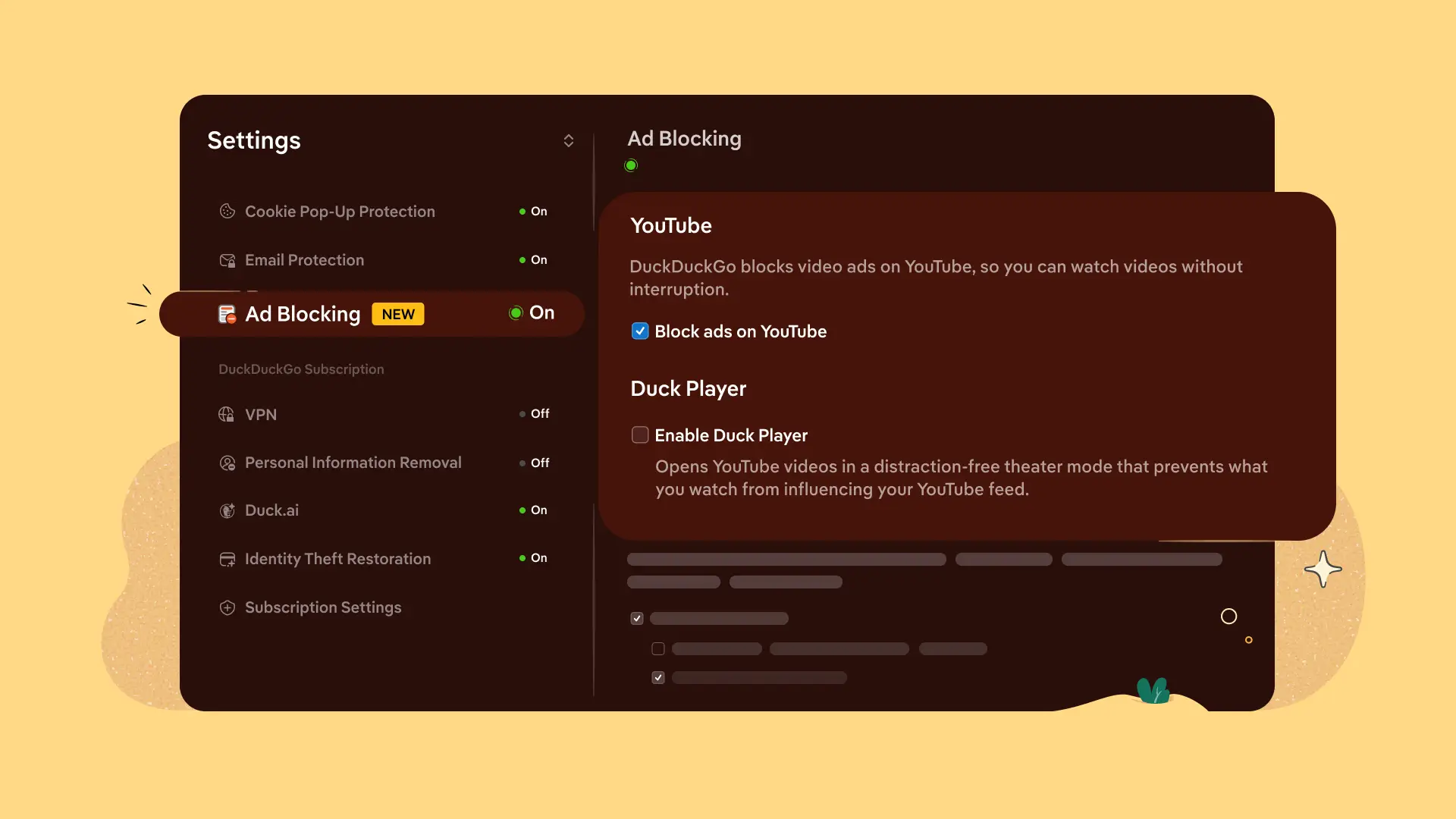
While video ad blocking is available through the DuckDuckGo app on Android devices, it is not currently enabled by default, meaning you'll have to enter the settings and turn it on to take advantage.
You can do this by heading to the Settings menu within the app, and then finding the Ad Blocking section to enable the feature. If that section doesn't exist, you might need to update the app before it appears.
It unfortunately does mean that you'll need to watch videos and browse YouTube within the DuckDuckGo app in order to receive the ad-blocking benefits, and that is naturally going to be a less seamless experience compared to the native mobile platform — but it'll definitely be worth it for what you'll get back after not needing to sit through unskippable ads.