
WhatsApp users urged to immediately turn on crucial setting that can protect against hackers


A content creator has revealed a vital WhatsApp setting that she is urging people to make sure is enabled on their phone after she shared how her mother was hacked.
The TikToker, known online as Lucy, took to the video sharing app to share her mother’s experience of being hacked on WhatsApp.
In a clip, she explained: “I had no idea this could happen. My mom’s WhatsApp got hacked over the weekend, and I also had no idea that you could two-factor authenticate your WhatsApp.
“So, this is your sign to actually turn on the two-step verification on your WhatsApp immediately. You’re gonna open WhatsApp settings, click on account, click two step verification, click turn on and set up your six digit pin.”
Advert

The social media influencer went on to say: “I think you can also add your email address as well. It literally takes you less than 60 seconds and this could save you so much stress. And while you are there, go onto your linked devices and make sure you recognize every single device on that list.
“If you don’t, log them out immediately. I literally had no idea that this was a thing, and if this helps just one person then that was worth sharing.”
This prompted others to take to the TikTok comment section to share their own reactions to the news, with one user writing: “Thank you, actioned straight away.”
And another added: “Thank you, actioned straight away.”
How to turn on WhatsApp two-step authentication
If you want to add the extra layer of security to your own account by enabling two-step verification, the feature is easily enabled.
To do this, first open WhatsApp and head to Settings. From there, select Account and click two-step verification. Once this is done, you should be able to turn on or enable the function.
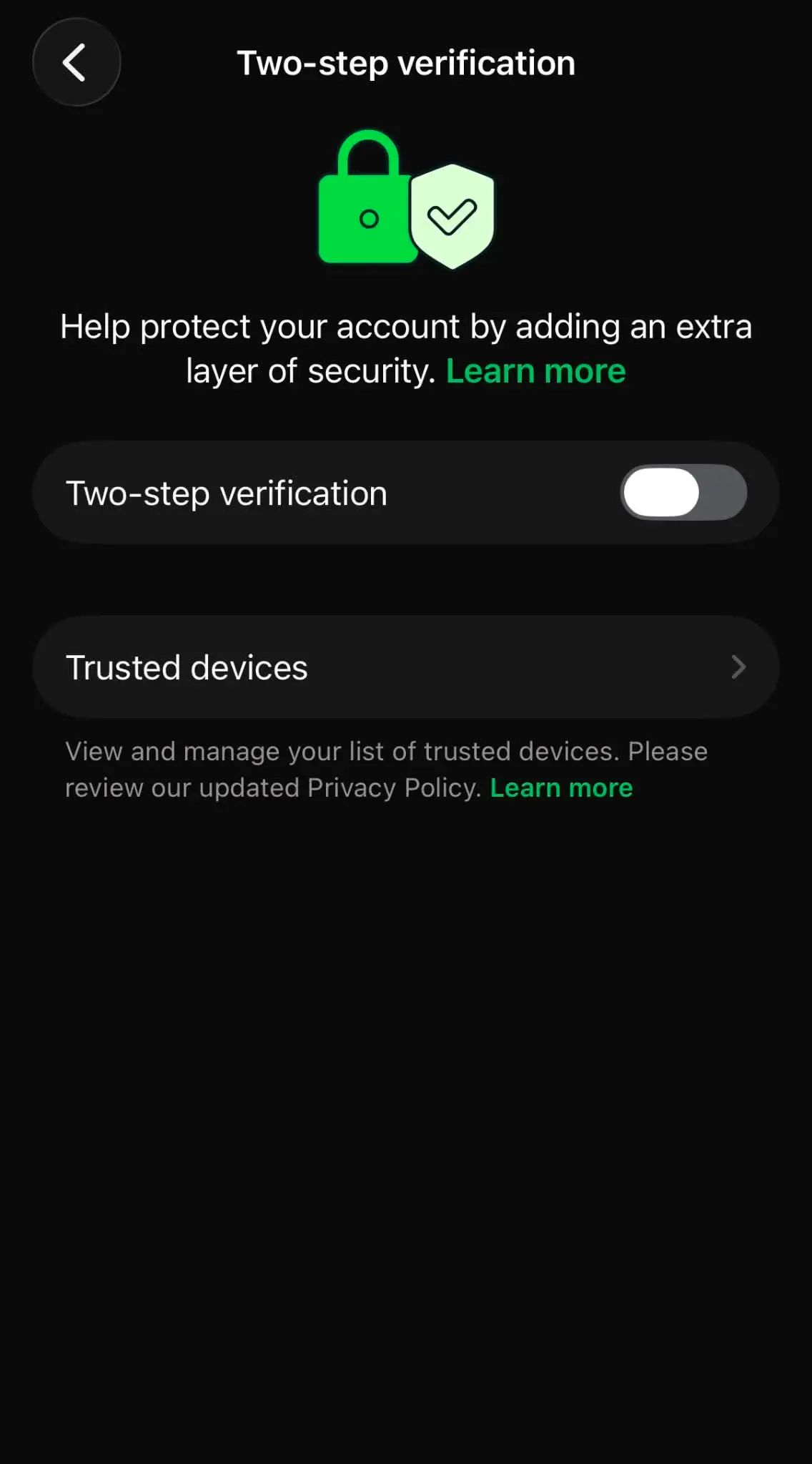
Follow the prompts to create your security password or six-digit pin, depending on the version available to your account. Enter your chosen password or PIN again to confirm it.
You’ll then need to add an email address that you can access, which is important as it gives you a way to recover your account if you forget your security details.
The process is largely the same on both iPhones and Android devices. However, on iPhones, the Settings tab is in the bottom-right corner of WhatsApp, while on Android, tap the three dots in the top-right corner before selecting Settings.