uniladtech homepage
  • News
    • Tech News
    • AI
  • Gadgets
    • Apple
    • iPhone
  • Gaming
    • Playstation
    • Xbox
  • Science
    • News
    • Space
  • Streaming
    • Netflix
  • Vehicles
    • Car News
  • Social Media
    • WhatsApp
    • YouTube
  • Advertise
  • Terms
  • Privacy & Cookies
  • LADbible Group
  • LADbible
  • UNILAD
  • SPORTbible
  • GAMINGbible
  • Tyla
  • FOODbible
  • License Our Content
  • About Us & Contact
  • Jobs
  • Latest
  • Archive
  • Topics A-Z
  • Authors
Facebook
Instagram
X
TikTok
Snapchat
WhatsApp
Submit Your Content
Instagram CEO urges people to turn on key feature to make sure you 'don't get hacked'

Home>Social Media
Published 10:54 16 Jul 2026 GMT+1

Instagram CEO urges people to turn on key feature to make sure you 'don't get hacked'

There has been an increase in hacking attempts on the social media platform recently

Harry Boulton

Harry Boulton

google discoverFollow us on Google Discover
Featured Image Credit: Bloomberg / Contributor via Getty
Instagram
Social Media
Cybersecurity

Advert

Advert

Advert

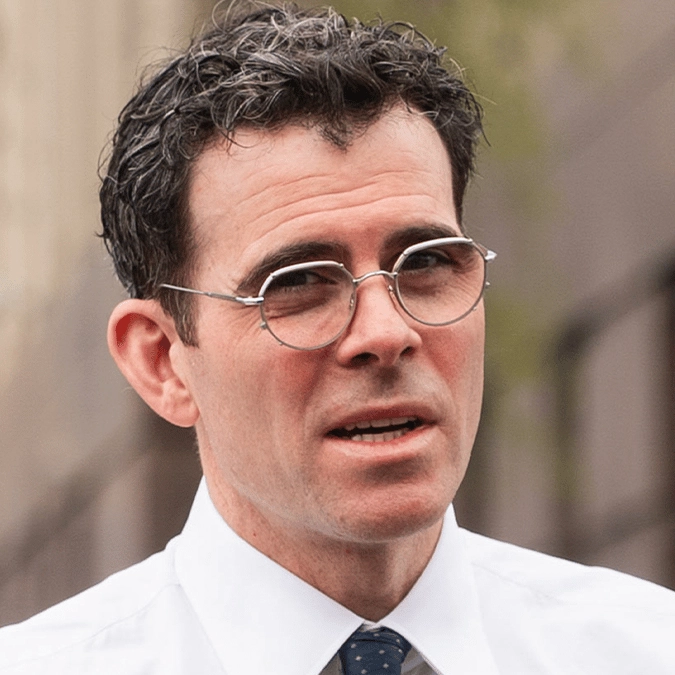
instagram users have been urged to enable one key cybersecurity setting, with the social media platform's CEO chiming on with a video to share how it will help prevent you from being hacked.

There's a good chance you've already been told to enable two-factor authentication (2FA) but the advice still rings true today, and Instagram CEO Adam Mosseri is making sure that everyone hears it.

Your login information can only do so much to protect other people from accessing your account, and even with the most complicated password hackers can sometimes still find a way in — and that's where 2FA comes in clutch as a form of cybersecurity protection.

It provides an additional external 'locked door' that hackers have to content with in order to get into your account, saving you more than you think with effectively zero downsides.

Taking to his very own Instagram, Mosseri proclaimed: "Friendly reminder to turn on 2-Fac, two-factor authentication, to make sure that you don't get hacked. That's it."

How to enable 2FA on Instagram

Thankfully the process of enabling two-factor authentication is as easy as you would hope, so follow the steps listed below to get it set up if you haven't already:

  • Select the three lines 'More' button on the top right of your profile in the Instagram app
  • Press the 'Accounts Center' option at the top, and then head into the 'Password and security' section
  • Click on the 'Two-factor authentication' option
  • Choose the account you want to enable 2FA for
  • Pick which form of authentication you want to enable, between an authentication app or through SMS or WhatsApp
Enabling 2FA for Instagram only take a handful of steps to complete, so you've got no excuse to not do it (Cheng Xin/Getty Images)

Advert

Once you've got that set up you'll then need to enter the associated authentication code any time you log into your account on a new platform, but you can rest easy knowing that your data is far safer from hacking attempts going forward.

Hacking attempts increase for Instagram accounts

As reported by the BBC, there has been a recent uptick in hacking attempts against Instagram accounts that might have prompted Mosseri to issue this particular PSA — although it's never a bad time to enable 2FA and secure your account.

This particular issue relates to a vulnerability within Meta's AI support tool, which allowed hackers to 'trick' the model into giving them access to other people's accounts, although thankfully the issue has since been fixed by the social media giant.
Hackers were previously able to access Instagram accounts through an AI support tool, but Meta quickly addressed the vulnerability (Jaque Silva/NurPhoto via Getty Images)

Hacking attempts are an evergreen threat to any account you possess online, however, especially if you use the same account details across numerous platforms as one data breach can leave you completely exposed.

While it's not technically flawless, 2FA offers a far greater level of protection for everyone who uses it, so you should definitely enable it right now to save a headache in the future.

Choose your content:

a day ago
5 days ago
6 days ago
7 days ago
  • MementoJpeg / Getty
    a day ago

    Social media curfew issued to millions of teenagers that will disable key features

    Campaigners say that governments still aren't doing enough to protect kids

    Social Media
  • Oscar Wong / Getty
    5 days ago

    Terrifying 'silent' loophole hiding in Instagram's new AI feature that Meta just automatically switched on

    Amid growing concerns over Meta’s new AI feature, here’s what users need to know about opting out and managing how their content is used

    Social Media
  • Reckless Ben / YouTube
    6 days ago

    YouTuber Reckless Ben could face 15-year felony charge in explosive final Lego documentary

    The third and final part of Reckless Ben's LEGO documentary has been released

    Social Media
  • Bloomberg / Contributor via Getty
    7 days ago

    Browser's game-changing update lets viewers watch YouTube completely ad-free

    It boasts the ability to provide the 'full YouTube experience, minus the ads'

    Social Media
  • Instagram users furious as app debuts dangerous new feature people worry will 'get some killed'
  • Everything included in Instagram Plus subscription and how much it costs per month
  • Security feature you should make sure is always enabled on your Android smartphone
  • Experienced hacker reveals how scammers are able to get your exact location in one click