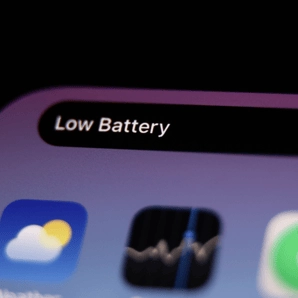
Quick fix to stop iOS 17.4 'ruining' your battery


Apple recently deployed its latest big update to iOS, the operating system that your iPhone runs on, with the latest version available to download.
Some users, though, have reported that upgrading to iOS 17.4 has seen the battery life of their phones go pretty whacky.
It would seem that some people have noticed that since installing the update their iPhone battery hasn't been lasting as long as they would expect, or that the battery health metric in the settings menu has degraded.
One user on X (formerly Twitter), put it quite succinctly, writing: "I’ve definitely noticed a reduction in battery life with iOS 17.4".
Advert
The reality is a little complicated when it comes to battery life and a new iOS version, though.
Firstly, the process of downloading and installing a big update like this is actually quite intensive and can drain your battery.
This is why your phone will generally recommend that you let it automatically update overnight while it's charging and plugged into power.
So, if you notice a drop in battery while installing the update, there's not much you can do about that and it should go back to normal when you charge it. Equally, some people find that their phone does drain its battery more quickly in the first few days after an update, too.
This could be because there are a lot of new processes for it to spin up, and some of these can also be battery-heavy, after all.
However, it's also worth remembering that these updates only come out every so often and that your phone might no longer be the freshest piece of hardware by the time they roll around.
Taking the X user above as an example, in a follow-up reply he clarified that his phone is the iPhone 13 Pro Max, which is now about two and a half years old.
Now, that's obviously no age for a phone to require replacing, but it's also no longer cutting-edge, so a degradation in battery life could be completely unrelated to the update it installed, and could well be a coincidence.
As updates go, iOS 17.4 is a pretty big one, too, with some nice little features like the addition of 118 new emojis to choose from, and the arrival of a battery cycle count.
This will let you see how many times you've charged your battery overall, and is helpful for keeping track of battery health, topically.
Meanwhile, in the EU there are way more sweeping changes in iOS 17.4, including the ability to use non-Apple app stores, download apps from other sources, and way more - these won't be coming to the rest of the world as it stands, though, since they've been mandated by the EU only.