• News
    • Tech News
    • AI
  • Gadgets
    • Apple
    • iPhone
  • Gaming
    • Playstation
    • Xbox
  • Science
    • News
    • Space
  • Streaming
    • Netflix
  • Vehicles
    • Car News
  • Social Media
    • WhatsApp
    • YouTube
  • Advertise
  • Terms
  • Privacy & Cookies
  • LADbible Group
  • LADbible
  • UNILAD
  • SPORTbible
  • GAMINGbible
  • Tyla
  • FOODbible
  • License Our Content
  • About Us & Contact
  • Jobs
  • Latest
  • Topics A-Z
  • Authors
Facebook
Instagram
X
TikTok
Snapchat
WhatsApp
Submit Your Content
Tell-tale signs that your phone camera might be spying on you

Home> Gadgets

Published 16:33 18 Mar 2024 GMT

Tell-tale signs that your phone camera might be spying on you

There's key things to look out for.

Rebekah Jordan

Rebekah Jordan

Cybercriminals don't need too much to gain access to your phone.

It could be anything from an outdated app, an infected link, or an unsecured Wi-Fi connection.

Once they're in, they can watch you, listen to you, and even use what they gather to blackmail you. This is where your camera could be used to spy on you, take photos or videos, and even use the material gathered to blackmail you.

Experts at NordVPN are warning the public that camera hacking, known as 'camfecting' is on the rise and becoming a common cybercrime.

Advert

A telltale sign that your phone camera is spying on you is if you find your phone camera turns on by itself, i.e. it’s in use when it shouldn’t be.
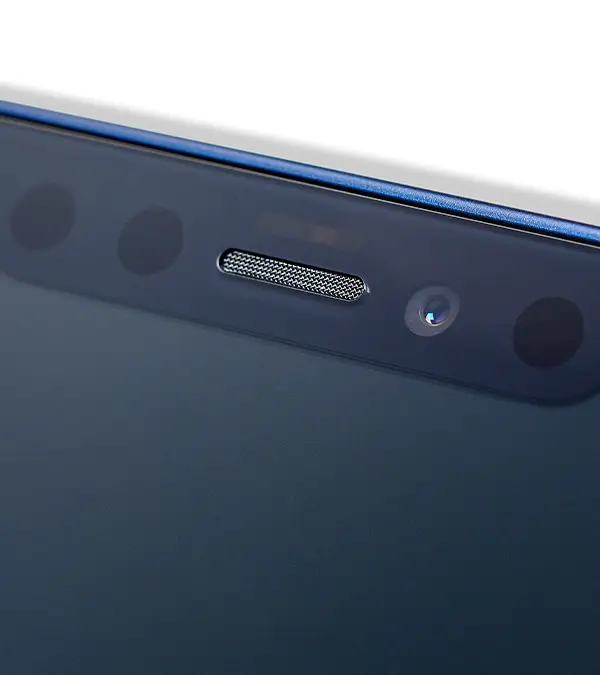
Check to see if your camera turns on at strange times / MacLife Magazine / Contributor / Getty

On iPhones and Androids, the green power light of your camera will be on to show the camera is in use. The same is seen on laptops whereby the webcam will have a light to indicate that it's on even when not in use.

However, it's not always this obvious.

If your phone has been acting strangely performance-wise, or you're seeing apps you didn't download, it could mean someone's messing with your device's security.

Fortunately, there are some ways to protect yourself. But don't be fooled into thinking sticking a piece of tape or blue-tac over the lens will keep the hackers at bay.

Adrianus Warmenhoven from NordVPN said: 'Putting a piece of tape or a camcover over your device's camera is perhaps the easiest and most reliable way to prevent someone from watching you through your computer camera and improve your home security.

Covering your lens with tape or blue-tac won't fix the issue / seksan Mongkhonkhamsao / Getty

'However, by putting this physical blocker in place you simply restrict the attacker's view, but don't solve the actual issue. Keep in mind that the same malware that allows cybercriminals to access your camera, also can provide access to your personal files, messages, and browsing history.'

Viruses can be embedded into emails, texts, allowing unwanted scammers to access your devices.

To keep your devices safe, always have antivirus software installed, use a firewall, and never open links from people you don't know.

It's also good practice to use different passwords for different accounts and logins, so that if you are a target of an attack, it's much less likely for all of your data to be breached.

Featured Image Credit: MacLife Magazine / Contributor / seksan Mongkhonkhamsao / Getty
Cybersecurity
Malware

Advert

Advert

Advert

Choose your content:

9 days ago
15 days ago
29 days ago
a month ago
  • Cris Cantón / Getty
    9 days ago

    People left shocked after someone put GoPro inside washing machine to uncover what really happens

    Putting us in a spin

    Gadgets
  • Project Farm / YouTube
    15 days ago

    Man tests out wide range of USB-C chargers to uncover the best on the market

    Cheaper isn't always better

    Gadgets
  • georgeclerk / Getty
    29 days ago

    Huge free Android upgrade coming soon to all owners of this popular Google phone

    The update will be useful for those migrating from Google Pixel to Samsung

    Gadgets
  • Meta
    a month ago

    How Meta's new smart glasses can transform the way you communicate

    Stepping into a whole new era of gadgetry

    Gadgets
  • Three warning signs that mean you should turn your phone off immediately
  • Most iPhone users don’t know about this hidden setting that protects your phone
  • How to prepare your phone for US border force if they ask to look through it
  • Your Wi-FI router could be spying on movement around the house without you knowing