Important reason you should blur your house on Google Street View and how to do it


Google Maps is great for planning trips and exploring new routes, or for finding random things.
And its Street View feature, launched in 2007, is helpful in helping you locate someone's house if it's the first time visiting or just to cure boredom.
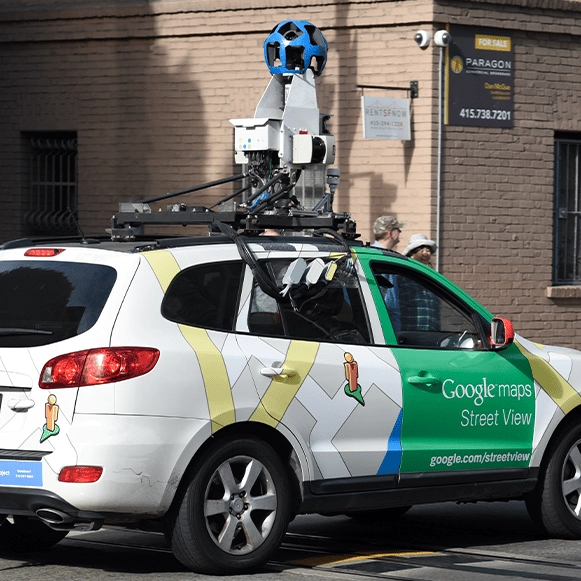
Thanks to Google’s camera-equipped cars and backpack-wearing photographers, Street View provides a ground-level view of streets and neighbourhoods - outside of the typical aerial view.
But since its launch, the feature has been a subject of controversy.
Advert
For example, in 2008, the Minnesota suburb of North Oaks protested its inclusion on Google Maps due to worries about privacy and trespassing.
In response, the Alphabet-owned company removed the images from Street View by blurring them out.

With that said, having your house show up on Google Street View might mean showing the internet more than what you want - especially with clear sight through your windows.
One case received by Privacy International involved a couple of colleagues in a compromising situation that was caught by Street View and ended up circulating at their workplace.
It's not uncommon to be concerned about privacy these days, from online stalkers to unwanted surveillance.
Fortunately, there's a solution that requires only a few minutes on your smartphone or laptop, so you can have your pictures of your home removed from curious eyes.
In doing so, you can request Google to blur your house permanently, leaving behind only a vague outline of the building.
To do this, first open Google Maps and search for your home address.

Switch to Street View mode by dragging the small yellow human icon from the bottom-right corner of the screen onto your house on the map.
With your house in view, click 'Report a problem' in the bottom-right corner.
Then, centre the red box on your home and select 'My home' under 'Request blurring.'
In the provided field, explain why you want the image blurred such as safety issues. Finally, enter your email address, and click 'Submit.'
Bear in mind that once your home is blurred, it’s a permanent change, so make sure you're certain about your decision.
After submitting your request, Google will send you an email to confirm that they’re reviewing it and will notify you when it's resolved.
Sometimes, they might ask for more details about the specific area you want blurred, so you may have to provide extra details in this case.
Moreover, if you want to cover all bases, you can do the same for Bing Maps so people using the Microsoft version don't get access to your home privacy either.